EasyManua.ls Logo

SIZZIX Big Shot Machin User Manual

SIZZIX Big Shot Machin
26 pages
To Next Page IconTo Next Page
Page #1 background imageLoading...
Page #1 background image
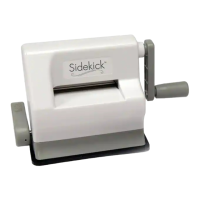
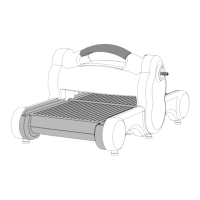
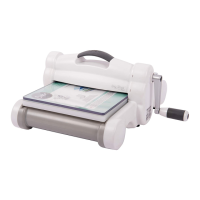
The Sizzix® Big Shot™ Machine is exactly what crafters have been
looking for—a versatile, easy to use and aordable multipurpose
creative system. It is designed to cut and emboss for creating
unlimited fun projects. Using Sizzix Originals™, Bigz™, Sizzlits®,
Embosslits™, Framelits™, Thinlits™ and Triplits™ dies, as well as
Textured Impressions™, Texture Trades™ and Texture Fades™
Embossing Folders, crafters can now express their creativity in
minutes. Start unleashing the limitless possibilities of your Big
Shot to create a combination of dazzling designs.
Assembly Instructions
Before attaching handle, remove protective cap on crank shaft and
discard. Then attach handle by sliding washer over hex screw and
inserting through handle and into crank shaft. Tighten hex screw
with hex wrench provided with handle kit. Press end plug over hex
screw until rmly sealed.
Protective Cap
Hex Screw
Crank Shaft
Washer
End Plug
Handle
Crank Shaft
Washer
Hex Screw
End Plug
Handle
Protective Cap
Question and Answer IconNeed help?

Do you have a question about the SIZZIX Big Shot Machin and is the answer not in the manual?

SIZZIX Big Shot Machin Specifications

General IconGeneral
TypeManual Die Cutting Machine
MaterialPlastic and Steel
Opening Width6 inches
Max Cutting Width6 inches
Weight7.5 lbs
CompatibilitySizzix Dies & Embossing Folders; most brands of dies and embossing folders
PlatformStandard Platform
ColorWhite and Gray
Max Cutting ThicknessVaries based on materials and die used
WarrantyLimited 3-year warranty

Summary

Assembly Instructions

Handle Attachment Procedure

Remove protective cap from crank shaft. Attach handle with washer and hex screw. Tighten hex screw with wrench. Press end plug.

Important Safety Instructions

Warranty Information

Product Notices and Support

How to Use Sizzlits Dies

How to Use Originals, Bigz, or Bigz XL Dies

How to Use Embossing Folders and Embosslits Dies

Using a Single Sheet of Paper

Insert paper into the open folder and close like a book. Place Cutting Pad above and below the closed folder.

Using a Folded Card

Insert folded card into the open folder and close like a book. Place Cutting Pad above and below the closed folder.

How to Use Framelits, Thinlits, Triplits or Wafer-Thin Dies

How to Use Sizzlits Decorative Strip Dies

Related product manuals