EasyManua.ls Logo

SKF TKSA 31 - User Manual

SKF TKSA 31
56 pages
Print Icon
To Next Page IconTo Next Page
Loading...
SKF TKSA 31 & TKSA 41
Instructions for use

Questions and Answers

  • J
    Jeremy AdkinsJul 28, 2025
    What to do if SKF TKSA 31 Other measuring units do not connect automatically to the display unit?
    • R
      Robert HicksJul 29, 2025
      First, verify that the measuring unit batteries are not depleted and charge them if necessary. When the measuring units are switched on, a blue LED should blink after the battery status LED. If the blue LED blinks but the measuring units still don't connect, navigate to Settings --> Measuring units info --> Find measuring units. Wait until both S and M measuring units appear (e.g., TKSA41-S-1433-0001). Click on both measuring units to make them appear in grey, then validate with the 'OK' button. A Bluetooth symbol should appear next to the S and M letters, indicating that both measuring units will now connect to the display unit, and data will be populated in the measuring unit info menu.
  • M
    mfernandezAug 12, 2025
    How to fix an unresponsive SKF TKSA 31 Other unit?
    • P
      pruittsharonAug 12, 2025
      If the SKF unit becomes unresponsive, keep the display Unit On/Off button pressed until the display switches off (approximately 6 seconds). Then, short press the On/Off button to start the unit.

Summary

Safety Recommendations

General Safety Warnings

Consolidated safety recommendations for operating the SKF TKSA 31/41 device and associated equipment.

Introduction to SKF TKSA 31;41

Principle of Operation

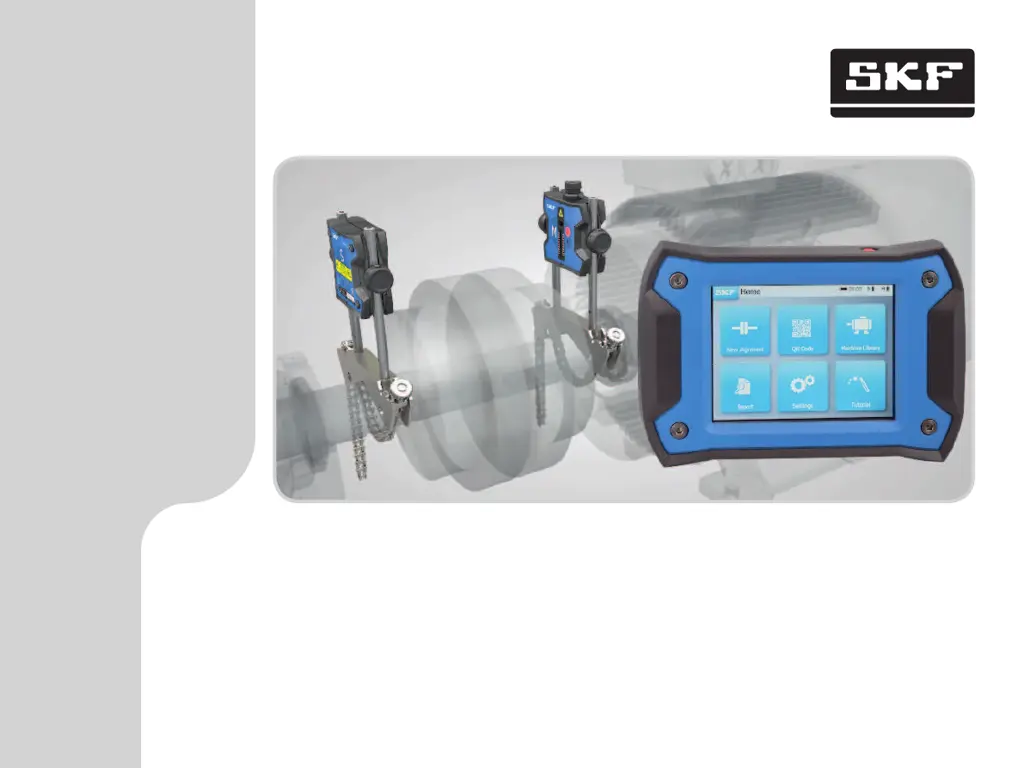
Details how the TKSA 31/41 uses two measuring units with lasers and CCD detectors to calculate misalignment.

Getting Started with TKSA 31;41

Taking Measurements with TKSA 31;41

Setting Measurement Dimensions and Tolerances

Explains how to input shaft distances and set tolerance ranges for measurements.

Performing 9-12-3 Measurements

Step-by-step guide for taking measurements using the 9-12-3 method with clock positions.

Correcting Shaft Alignment

Interpreting the Results Page

Explains how to read the results page, including graphical views, tolerances, and adjustment values.

Vertical Correction: Shimming Procedure

Guides on performing vertical shaft alignment adjustments using shims based on system feedback.

Horizontal Correction: Top View Adjustment

Details how to perform horizontal shaft alignment adjustments by moving the machine.

Recheck and Remeasurement

Explains the process of rechecking alignment after corrections and deciding whether to create a report.

Creating and Exporting Reports

QR Codes, Machine Library, and Soft Foot

Soft Foot Check Procedure (Part 1)

Initiates the soft foot check and guides through loosening and tightening bolts for measurement.

Soft Foot Check Procedure (Part 2)

Continues the soft foot check, focusing on correcting issues and remeasuring.

Troubleshooting Guide

Performing a Device Reset

Instructions for resetting the display unit if it becomes unresponsive.

Power Modes and Charging Issues

Explains device power modes, deep sleep, and troubleshooting charging issues.

Firmware Update Procedures

Guides on updating the firmware for both the display unit and the measuring units.

Wireless Connection Troubleshooting

Provides solutions for issues where measuring units do not connect wirelessly to the display unit.

SKF TKSA 31 Specifications

General IconGeneral
Laser classClass 2
Laser output power< 1 mW
Environmental protectionIP54
IP RatingIP54
ApplicationShaft alignment
Measurement distanceUp to 10 meters
Power supplyRechargeable battery
Data StorageInternal memory
ConnectivityUSB
Operating temperature0 to 45 °C
Relative humidity10 to 90% RH
Battery typeLithium-ion

Related product manuals