EasyManua.ls Logo

Skil SD5619-00 - User Manual

Skil SD5619-00
60 pages
Print Icon
To Next Page IconTo Next Page
Loading...
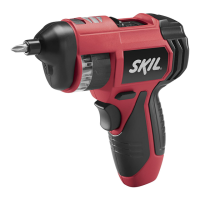
4V Twist 2.0 Rechargeable Screwdriver
Visseuse rechargeable 4V Twist 2.0
Atornillador recargable Twist 2.0 de 4 V
Model/ Modelo/ Modèle: #SD5619-00
WARNING: To reduce the risk of injury, the user must read and
understand the Owner’s Manual before using this product. Save
these instructions for future reference.
AVERTISSEMENT : Afin de réduire les risques de blessure, l’util-
isateur doit lire et comprendre le guide d’utilisation avant d’utiliser
cet article. Conservez le présent guide afin de pouvoir le consulter
ultérieurement.
ADVERTENCIA : Para reducir el riesgo de lesiones, el usuario
debe leer y comprender el Manual del operador antes de utilizar
este producto. Guarde estas instrucciones para consultarlas en caso
sea necesario.
Owner’s Manual
Guide d’utilisation
Manual del propietario
1-877-SKIL-999
OR
www.skiltools.com
For Customer Service
Pour le service à la clientèle
Servicio al cliente

Questions and Answers

  • M
    max23Aug 3, 2025
    What to do if the battery/torque indicator on my Skil Power Screwdriver does not flash during charging?
    • R
      robertpattersonAug 3, 2025
      If the battery/torque indicator on your Skil Power Screwdriver does not flash during charging, it could be due to several reasons. Ensure you are using the included USB-C charging cable or another certified USB charging cable. The surrounding air temperature may also be too hot or too cold; move the tool to an environment with an appropriate temperature for charging. If these steps don't work, have the tool serviced by an Authorized SKIL Service Station.
  • J
    Jeremy TerryAug 7, 2025
    What to do if my Skil Power Screwdriver does not work?
    • V
      Vincent HuangAug 8, 2025
      If your Skil Power Screwdriver isn't working, several factors could be the cause. First, the battery charge may be depleted, so try charging the tool. Second, the tool may be locked; unlock it by pressing the lock-off button until the lock-off indicator goes off. Finally, if the tool is connected to a USB-C power cable for charging, disconnect it.
  • K
    Kelly SchmidtAug 11, 2025
    Why does my Skil Power Screwdriver stop working during operation?
    • K
      Kimberly BarnesAug 12, 2025
      Your Skil Power Screwdriver might stop working during operation because the battery charge is depleted, so you should charge the tool. Alternatively, the torque setting may be insufficient; try increasing the torque setting.
  • A
    antoniolarsonAug 16, 2025
    What does it mean if the LED work light on my Skil Power Screwdriver flashes rapidly during operation?
    • B
      Brandon MaysAug 16, 2025
      If the LED work light on your Skil Power Screwdriver is rapidly flashing during operation, it indicates that the tool is either overloaded or too hot. To resolve this, rest the tool for a while or place it under airflow for cooling.
  • M
    Mike ClarkeAug 20, 2025
    Why is the LED work light on my Skil Power Screwdriver flashing slowly?
    • S
      Sarah CarrAug 20, 2025
      If the LED work light on your Skil Power Screwdriver is flashing more slowly, it means that the battery charge is low. You should charge the tool.
  • E
    Eric FletcherAug 25, 2025
    What does it mean if the middle battery/torque indicator LED goes off during charging of my Skil Power Screwdriver?
    • A
      Anna GrahamAug 26, 2025
      If, during charging, the middle battery/torque indicator LED goes off and the other two LEDs flash simultaneously on your Skil Power Screwdriver, it indicates that the built-in battery is briefly over-temperature. This is normal, and the tool will automatically resume charging after a period of time.
  • A
    Aaron PerryAug 29, 2025
    What to do if the bit does not fit the 1/4'' of Skil Power Screwdriver?
    • A
      alice49Aug 29, 2025
      If a bit does not fit the 1/4'' drive of your Skil Power Screwdriver, use a suitable bit or adaptor.

Summary

General Power Tool Safety Warnings

Work Area Safety

Guidelines for maintaining a safe and organized work environment.

Electrical Safety

Precautions related to power tool electrical connections and usage.

Personal Safety

Recommendations for user protection, including PPE and situational awareness.

General Power Tool Safety Warnings (Continued)

Prevent Unintentional Starting

Measures to avoid accidental tool activation during handling or setup.

Proper Footing and Balance

Advice on maintaining proper footing and balance for better control.

Appropriate Attire

Guidance on appropriate attire to prevent snagging on moving parts.

Power Tool Use and Care

Instructions on correct usage, maintenance, and safe handling of power tools.

Battery Tool Use and Care

Battery Charging and Safety

Instructions for charging, handling, and safety precautions for battery packs.

Safety Warnings for Screwdriver

Hidden Wiring Precautions

Warning about potential electric shock from hidden wiring during operation.

FCC Caution

Interference Compliance and Measures

Information on FCC rules, device compliance, and steps to resolve interference.

Symbols

Safety Symbols and Definitions

Explanation of safety alert symbols and their severity levels.

Damage Prevention Messages

Information on preventing equipment or property damage from incorrect procedures.

Get to Know Your Screwdriver

Tool Components and Features

Identification and description of the screwdriver's parts and functions.

Specifications

Screwdriver Technical Specifications

Detailed technical data including voltage, capacity, speed, and temperature ranges.

Operating Instructions

Intended Use

Defines the proper applications and purpose of the screwdriver.

Charging the Tool

Step-by-step guide for charging the integrated battery using a USB power supply.

Operating Instructions (Continued)

Lock-off Button Operation

Instructions on how to lock and unlock the tool to prevent unintentional starting.

Selecting the Rotation Direction

Guidance on changing between forward and reverse rotation for driving screws.

Operating Instructions (Continued)

Setting the Torque

Procedure for adjusting the torque setting based on material and fastener requirements.

Using the LED Work Light

Explanation of the LED work light's function, activation, and indicators.

Operating Instructions (Continued)

Changing the Angle of the Pivot Head

Instructions for adjusting the pivot head to three different working positions.

Installing and Removing Bits

Steps for safely installing and removing screwdriver bits, including extensions.

Installing Bits with Hex Shank Extension

Procedure for attaching hex shank bits and extensions to the tool's holder.

Operating Instructions (Continued)

Driving and Removing Screws

Detailed steps for the operation of driving and removing screws with the tool.

Automatic Spindle Lock

Description of the spindle lock feature for manual screwdriver use.

Maintenance

Service and General Maintenance

Guidelines for tool servicing, part replacement, and general upkeep.

Cleaning and Storage

Procedures for cleaning the tool and proper storage to prevent damage and hazards.

Troubleshooting

Recycling

Battery Disposal and Recycling

Information on proper recycling and disposal of lithium-ion batteries.

Limited Warranty for SKIL Consumer Tool

2 Year Limited Warranty Details

Overview of the limited warranty terms, coverage, and exclusions for consumer tools.

Skil SD5619-00 Specifications

General IconGeneral
BrandSkil
ModelSD5619-00
CategoryPower Screwdriver
LanguageEnglish

Related product manuals