
 Need help?
Do you have a question about the Skoda Auto and is the answer not in the manual?
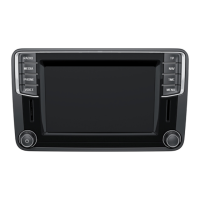
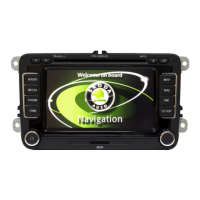
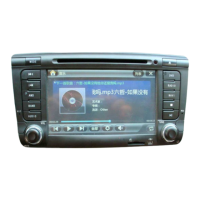
Details the control buttons, range selector keys, touch screen, eject key, and memory card case of the navigation system.
Explains symbols used in the manual, including the asterisk for optional equipment and section continuations.
Covers warranty terms and conditions applicable to new vehicles and notes regarding proper handling.
Emphasizes driver concentration and safe operation of the system in traffic.
Advises observing traffic regulations and using the system responsibly.
Provides guidance on cleaning the touch screen to avoid damage.
Describes the main menu display and the function of touch-screen buttons.
Explains the function of pop-up windows for selecting set-up options.
Describes how check boxes are used to switch functions on or off.
Details additional input methods like character case change, digits, and cursor movement.
Explains how to select specific characters from a pop-up window.
Describes how to limit destination entry and select from a list of possibilities.
This document describes the ŠkodaAuto Radio Navigation System Amundsen, a sophisticated in-car infotainment unit designed to provide navigation, radio, and media functionalities. The system is integrated into Škoda vehicles, offering a user-friendly interface and a range of features to enhance the driving experience.
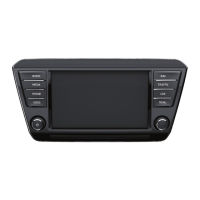
The Amundsen system is controlled via a combination of physical buttons, a touch-screen display, and a menu control button.
The system emphasizes driver concentration on the road. It is crucial to operate the navigation system only when traffic conditions allow. Audible signals from outside the vehicle, such as emergency vehicle sirens, must always be audible. The system may restrict certain functions at specific speeds in accordance with legal requirements.
The system is switched on or off by pressing or turning the control button (1). It will resume the last active audio source. If the ignition is switched off, the system automatically turns off after approximately half an hour to protect the vehicle battery. This process can be repeated as needed.
The touch screen displays "function buttons" (D/F) which are active fields that call up functions or menus. The main menu typically shows the selected radio station (frequency or designation) (A), the selected waveband (B), and indicates activation for traffic reports (C) and the current menu (E).
Pop-up Windows and Check Boxes: Pressing a function key may open a "pop-up window" with various set-up options. A brief press on the desired option closes the pop-up. Some functions are controlled by "check boxes" – a tick (☑) indicates the function is on, an empty box (☐) indicates it's off.
Input Masks for Free Text: For entering destinations or searching for points of interest, an input mask appears (Fig. 2).
Input Mask for Selecting Destination Address: When entering a destination, only characters corresponding to stored destinations can be entered (Fig. 3).
This comprehensive system is designed to provide a safe, convenient, and enjoyable driving experience, with a strong emphasis on user safety and proper operation.
 General
| Touchscreen | Yes |
|---|---|
| Voice Control | Yes |
| Navigation | Yes |
| SmartLink+ | Yes (Apple CarPlay, Android Auto, MirrorLink) |
| Gesture Control | Yes (Columbus system) |
| Connectivity | Bluetooth, USB |
| Supported Media | MP3, WMA, AAC |
| Navigation System | Amundsen, Columbus |
| Hard Drive | 64 GB (Columbus system) |
| Wi-Fi Hotspot | Yes (Columbus system) |
| DAB Radio | Yes |
| Display Size | 9.2-inch |






 To Next Page