Flipping the key bit out or in
By pressing the button ⇒ fig. 12
A
, the key bit unlocks and flips out.
To flip in the key bit, press the button and simultaneously push the key back until
it clicks into place.
Replacement key
To obtain a replacement key or additional vehicle keys, the chassis number of the
vehicle is necessary.
Every new vehicle key must contain a microchip that is coded with the data of the
vehicle’s electronic immobiliser. A vehicle key does not work if it contains no mi-
crochip, or contains a microchip that is not coded. This also applies to vehicle keys
that are cut correctly.
New vehicle keys or replacement keys are available from Škoda partners or pro-
fessional and authorised locksmiths who are qualified to produce these vehicle
keys.
New vehicle keys and replacement keys must be programmed before use
⇒ page 34.
NOTICE
Each vehicle key contains electronic components. Protect vehicle keys from
damage, moisture and strong shocks.
Note
Press the buttons in the vehicle key only if the corresponding feature is actually
needed. An unnecessary push of a button may inadvertently unlock the vehicle.
This applies even if you think that you are out of range.
Note
The function of the vehicle key may be temporarily affected by interference from
nearby transmitters operating in the same frequency range, for example, by radio
equipment or a mobile phone.
Note
Obstacles between the vehicle and the vehicle key, bad weather conditions and
weak batteries reduce the radio range.
Note
If the buttons in the vehicle key ⇒
fig. 12 or one of the central locking buttons
⇒ page 35 are pushed several times in a row within a short time, the central
locking system will temporarily shut down to protect against overload. The vehicle
is then unlocked. Lock the vehicle if necessary.
Ð
Indicator light in the vehicle key
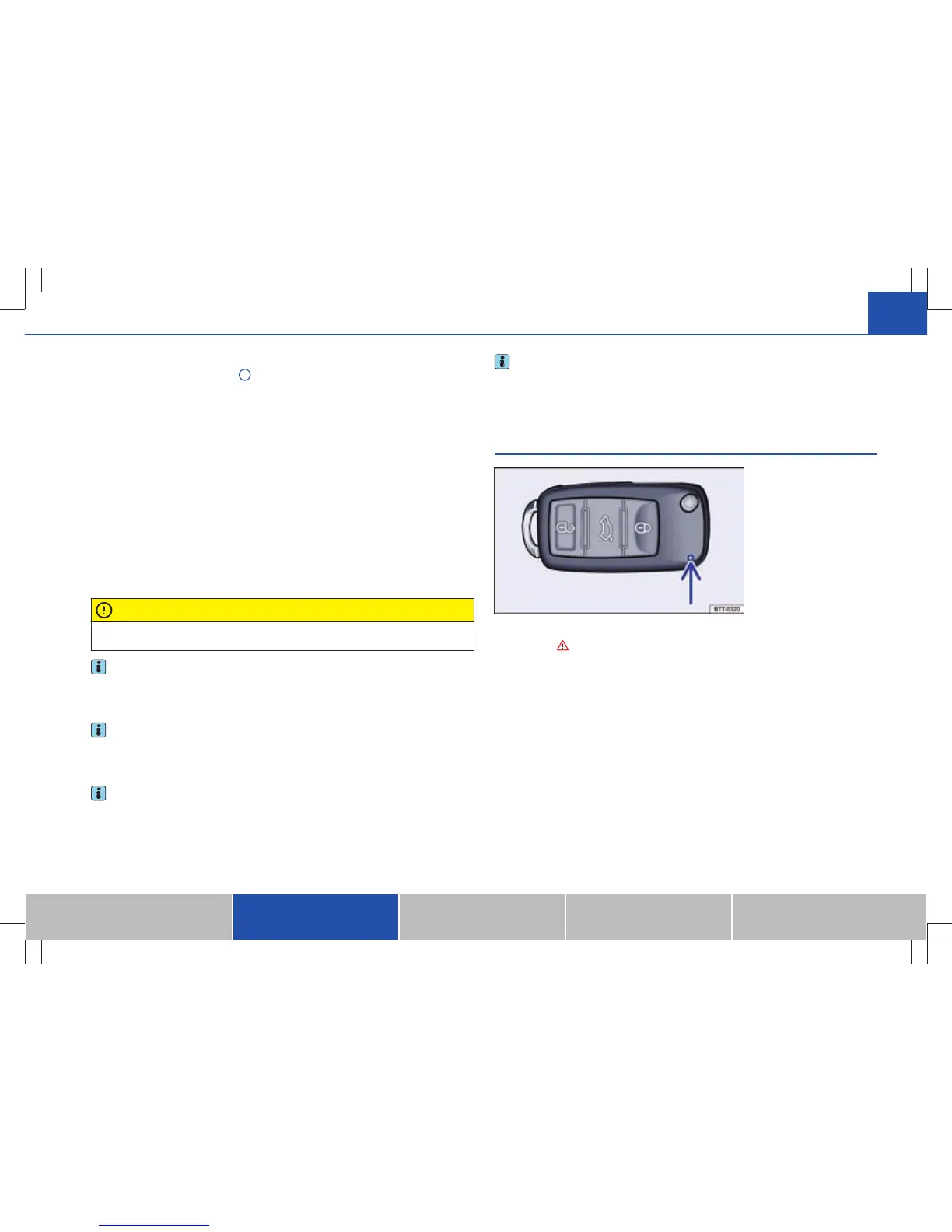
Fig. 13 Indicator light in the
vehicle key.
First read and observe the introductory information and safety warn-
ings on page 32.
When a button in the vehicle key is pressed shortly, the indicator light (arrow)
⇒ fig. 13
will flash once briefly. By prolonged pressing of a button, it flashes sever-
al times, such as during convenience opening.
If the indicator light in the vehicle key fails to light up when a button is pressed,
the battery in the vehicle key must be replaced ⇒ page 34.
Ð
ä
33Opening and closing
Vehicle overview Before driving When driving Maintenance, cleaning, servic-
ing
Do-it-yourself








 To Next Page