GERMANY
Charging the Smartphone via the +COM/UNIT
17
Charging the Smartphone via the +COM/UNIT
Charging your smartphone without a cable
➤ If you have a smartphone with a Qi charging function, you can charge it without a cable while you’re
on the move using the +COM/UNIT. Proceed as follows in this regard:
➤ Ensure that the +COM/UNIT is sufficiently charged (min. 50%).
➤ Press the button on the +COM/UNIT to switch it on.
The bottom LED lights up blue and the battery indicator LEDs light up orange. The +COM/UNIT
is now switched on.
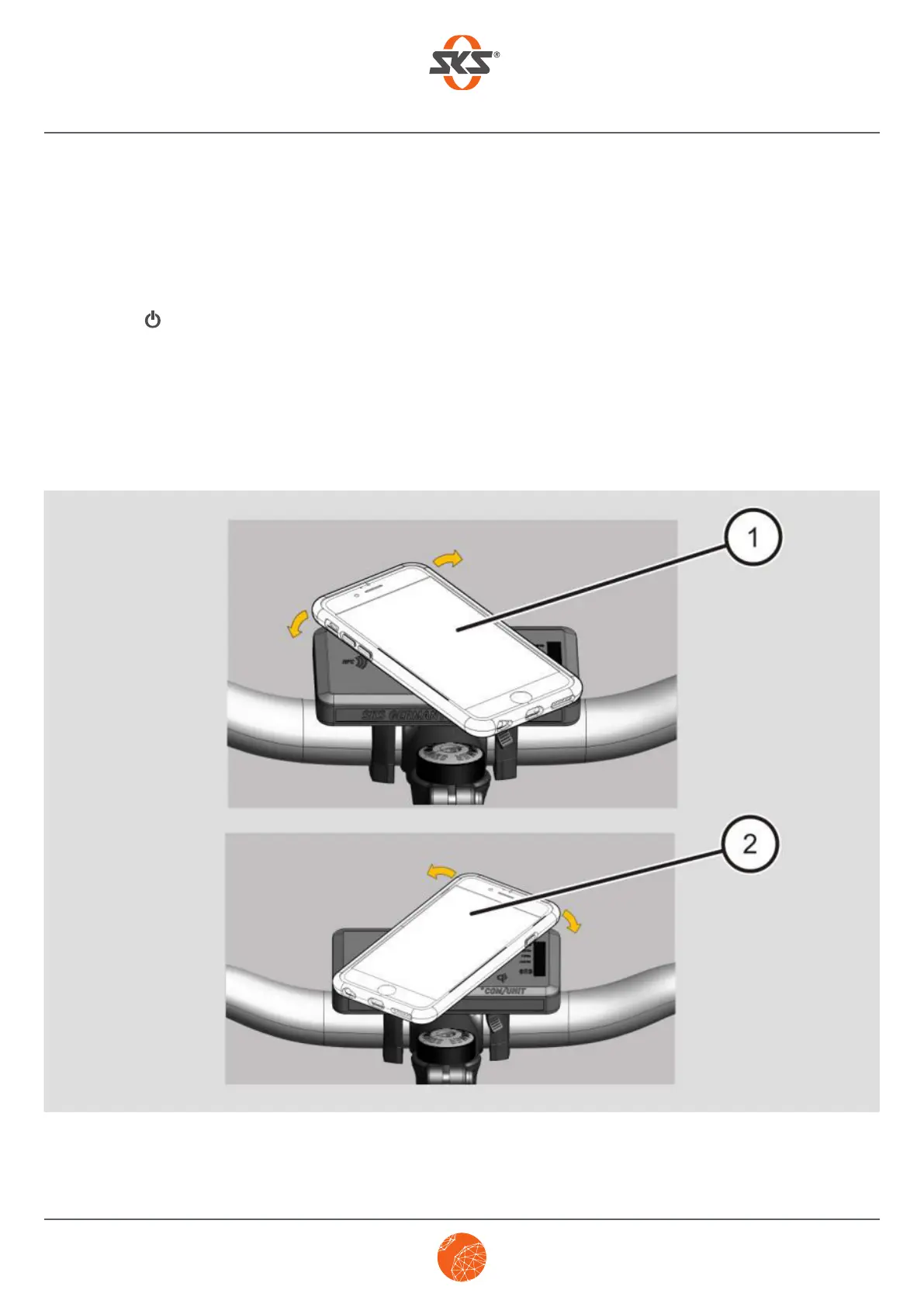
➤ Place your smartphone on the +COM/UNIT’s Qi docking station (as shown in 1 or 2) and turn it
(about 45°) either to the right or left above the Qi docking station until you hear it click into place.
The smartphone starts charging automatically.


 To Next Page