13
4.1 Control Panel
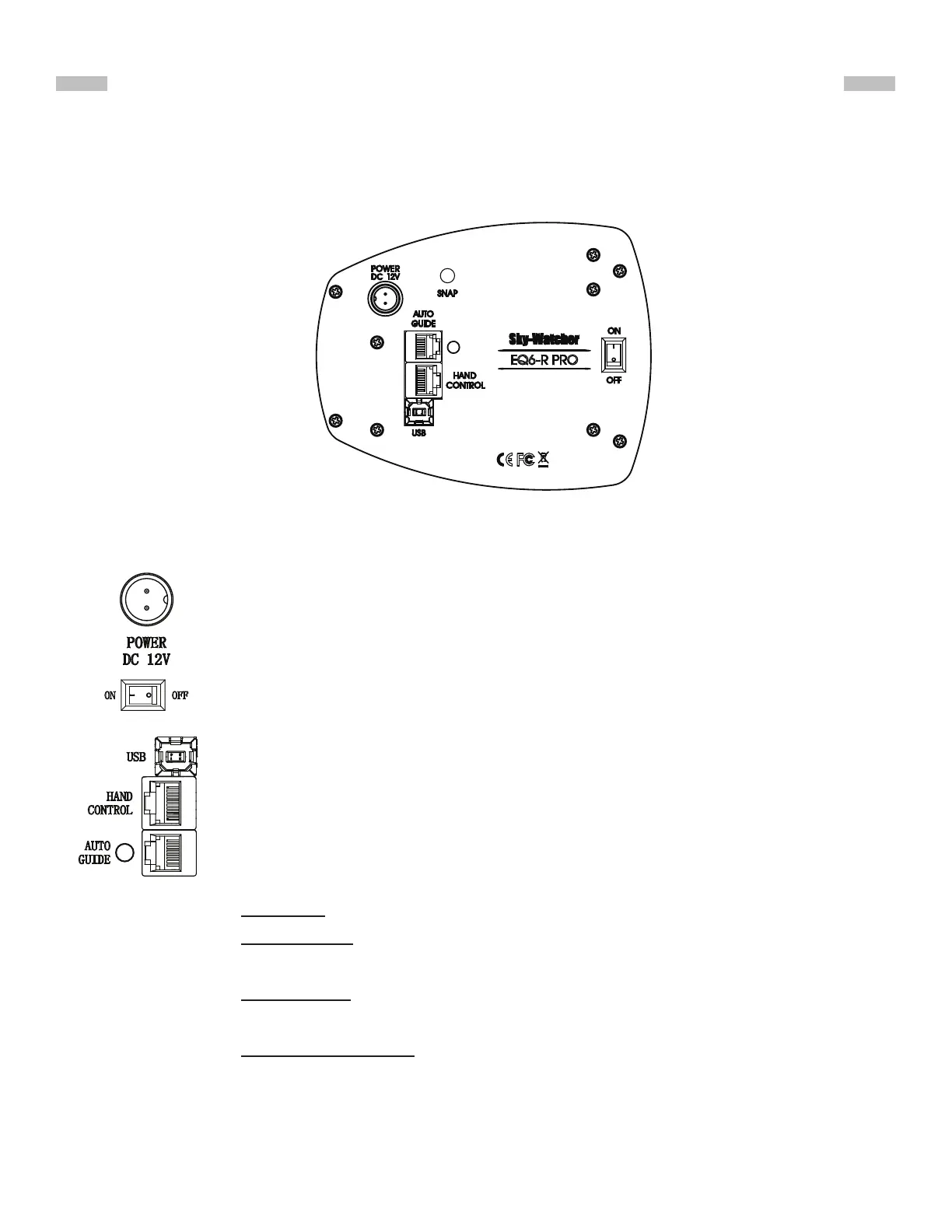
The control panel of the EQ6-R is shown below:
Fig. 4.1
4.2 Panel Interface Components:
PART IV : ELECTRONIC CONTROL INTERFACE
POWER: This is an outlet from which the mount and the hand control get power
supply. To connect to a power supply, align the index on both the plug of the cord
and the outlet on the panel, and then insert the plug to the outlet. Tighten the
knurled cap on the plug to secure the plug on the panel.
POWER Switch: Turns on and off the power to the mount and hand controller.
USB: It provides a USB-to-Serial connection for controlling the mount.
HAND CONTROL: This RJ-45 8-pins outlet is for connecting a SynScan hand
controller or a SynScan Wi-Fi dongle.
AUTO GUIDE: This RJ-12 6-pins outlet is for connecting an autoguider. It is com-
patible with any autoguider with a ST-4 type interface.
LED: The LED beside the Autoguide port serves as a power-on/status indicator.
1. Steady on: Power voltage is normal.
2. Slow ashing: Power voltage is low; continuing to operate the mount may
damage the battery (if a 12V lead-acid battery is in use).
3. Fast ashing: Power voltage is extremely low; continuing to operate the
mount may damage the battery and the motor controller in the mount.
4. Intermittent one ash: The PPEC training routine has been triggered, but the
controller in the mount has not received the worm index signal and the cor-
rection-recoding has not started yet.


 To Next Page