3
CHARGING YOUR SKYCADDIE LINX
Please fully charge your SkyCaddie LINX before first use.
HOW TO CHARGE, USING THE ENCLOSED USB CABLE
NOTE: Always make sure the charging contacts
on your SkyCaddie LINX and surrounding
area are dry and clean of any dirt or debris
to ensure proper electrical contact and to
prevent corrosion.
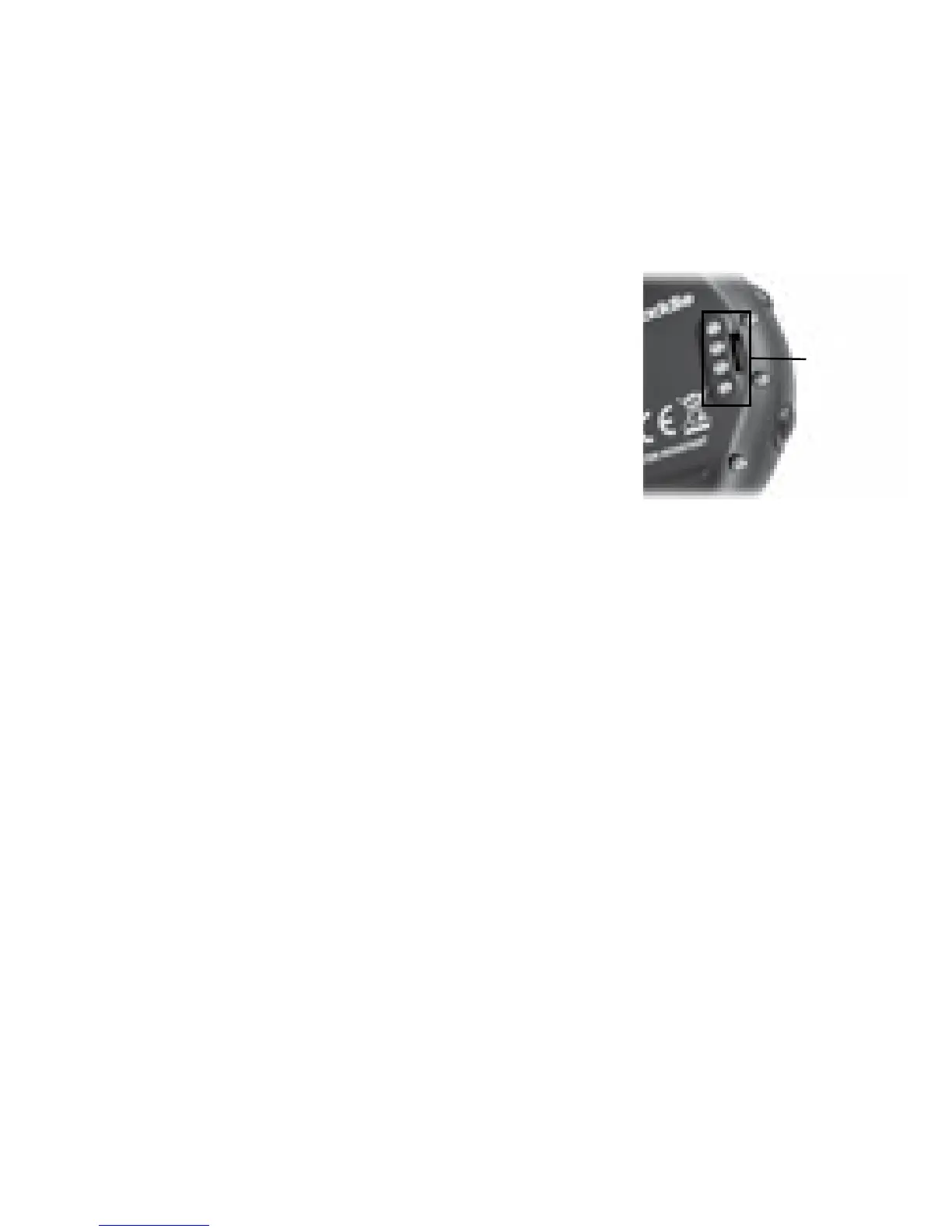
1. Align the charging clip with the contacts on
the back of the SkyCaddie LINX.
2. Connect the charging clip securely.
3. Insert the USB plug into a USB port on your computer, or a
SkyCaddie wall charger.
4. If connected correctly, CHARGE will display.
5. When fully charged, FULL CHARGE will display.
NOTE: It is recommended that the battery is recharged after every
round of golf or odometer session as these functions require GPS
and deplete a battery charge at a much higher rate than non-GPS
Modes. A full charge should provide up to 8 hours of golf or
odometer usage.
The Battery Level indicator displays on the right side of the
SkyCaddie LINX screen. If this indicator starts blinking, your battery
is low and needs to be fully charged as soon as possible. When the
battery is low, GOLF and ODOMETER Modes will not be available.
CHARGING
CONTACTS



 To Next Page