Compact and easy to carry
Speed meter with top speed memory
Top altitude
Built-in 4M flash (recording time: 6 hours)
UTC timestamp logged for each track point
Built-in rechargeable, LiPo bettery 200mAh
(Operating time: 150 minutes)
INSTRUCTION MANUAL
Stop wondering how fast your RC car can run and how high your RC Airplane or helicopter can
fly. Now all these data come at your finger with the GPS SPEED METER by SkyRC.
The popularity of GPS devices inspired SkyRC to design this gadget at about 41g. The Speed
Meter is the result of SkyRC’s ongoing development efforts, boasting an ultra compact GPS
module with hidden antenna design, the high-sensitivity GPS receiver chip can do quick
positioning, a robust controller IC to keep recording speed and altitude in real time.
This gadget is ideal for RC racing/flying and casual biking, driving and long journey. User could
easily view the screen while working out data such as speed, altitude total mileage/kilometer,
longitude/latitude.
The gadget records the top speed and top altitude for instant recall after the running. It will help
RC fans much to fine-tune their RC gadgets to achieve better performance.
FEATURES
- 1 - - 2 -
GSM-010 GPS SPEED METER
LCD Display
Hidden Antenna
MODE Button
ENTER Button
Strap
Hole
USB Data
& Charging
Port
Power
Button
Servo Port
PC link for data logging & google map
CHARGING BATTERY
Battery
Cover Lid
Charging
Connect the USB cable to your computer and GPS speed meter. The battery icon will blinking
during the charging process.
Fully Charged
Press the POWER BUTTON to turn it on.
Press and hold the POWER BUTTON for 6 seconds, “OFF” will be displayed on the LCD
screen. Relese the POWER BUTTON and the device will be power off.
POWER ON
POWER OFF
After turn on the power, the meter will starting the process of satellite acquisition and tracking
automatically. Before a position fix is calculated, the icon of Satellite Receiver will keep blinking.
The meter takes about 30 seconds to achieve a position fix in normal.
It may take longer than normal to establish an initial position for the first time or if the meter has
not been used for an extended period of time. If the meter is powered on in outdoors with a
clear view of the sky this should not take more than 3-5 minutes.
If your meter is indoors, it may not acquire satellites.(OUTDOORS USED ONLY)
The icon of Satellite Receiver will keep blinking until a position fix is calculated. It is understood
that satellite acquisition time depends on weather conditions and users location,
After a position fix has been calculated, the icon of satellite receiver and the UTC time will be
shown on the screen as below.
Blinking
GPS INITIALIZATION
GPS Coordinator
Support both Metric and Imperial system of
measurement
(For external power
source DC 6V)
(ACQUIRE SATELLITES)
Firmware upgradable

 Need help?
 GPS Specifications
 Weight and Dimensions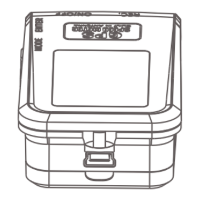

 To Next Page