EasyManua.ls Logo

SkyScan 86730 - User Manual

SkyScan 86730
7 pages
Print Icon
To Next Page IconTo Next Page
Loading...
®
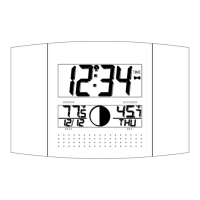
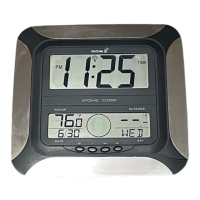
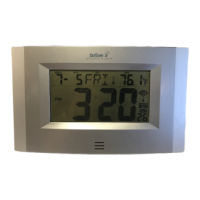
ATOMIC CLOCK
WITH MOON PHASE
MODEL 86730
Instruction Manual
FEATURES:
WWVB Radio controlled time with manual time setting
12/24 hour time display
Time display: hour, minute, second
Alarm setting with snooze function
Calendar display
Weekday display (4 languages to choose from: English, French, Spanish and German)
Time zone setting
Daylight savings time ON/OFF option (DST)
ºC or ºF temperature display selectable
Indoor temperature display
Outdoor temperature display via 433MHz transmission
Wall mount or freestanding
Current moon phase display
TO INSTALL AND REPLACE BATTERIES IN THE ATOMIC CLOCK
THE ATOMIC CLOCK USES 2 X AA, 1.5V BATTERIES. Alkaline batteries are recommended. Avoid using
rechargeable batteries. TO INSTALL AND REPLACE THE BATTERIES, PLEASE FOLLOW THE STEPS
BELOW:
1. Remove the cover.
2. Insert batteries observing the correct polarity (see marking inside battery compartment).
3. Replace compartment cover.
DO NOT SET THE CLOCK.
SETTING UP:
1. The default (factory) time zone is Eastern Standard Time. If you are not in the Eastern Standard Time zone,
set your time zone using the manual settings below.
2. The WWVB time code reception will automatically start. This reception typically takes between 5-10
minutes in good conditions or overnight in poor conditions or long distances from Colorado. If after 10
minutes, the WWVB time has not been received, use the “SET” key to manually enter the set-up mode and
change either the time or date in order to activate the WWVB reception (see manual settings below). The
clock will then automatically attempt to receive the WWVB time from 12:00 am through 6:00 am each day
(attempts WWVB reception every full hour within this time frame). When this is successful, the received
time will override the manually set time. The date is also updated with the received time (Please refer to
notes on “Radio controlled time” and “Manual time setting”).
Note:
In the event of changing batteries of the unit ensure that the batteries do not spring free from the contacts.
Always wait at least 10 minutes after removing the batteries before reinserting, otherwise start up and
transmission problems may occur.
Question and Answer IconNeed help?

Do you have a question about the SkyScan 86730 and is the answer not in the manual?

Summary

Setting Up the Atomic Clock

Automatic WWVB Time Reception

Describes the automatic WWVB time code reception process and troubleshooting.

Function Keys and Moon Phases

Function Keys Overview

Details the purpose and operation of the SET, +, ALM, and SNZ keys.

Moon Phase Symbols Explained

Illustrates and explains the twelve stages of moon phases displayed on the clock.

Manual Settings and Configuration

Time Zone Setting Procedure

Guide to setting the correct time zone relative to GMT.

Daylight Saving Time (DST) Adjustment

Instructions for enabling or disabling Daylight Saving Time.

Language Display Selection

How to set the display language for weekdays (English, French, Spanish, German).

Manual Time Setting

Steps to manually set the time when WWVB signal is unavailable.

Detailed Setting Procedures

Year, Month, and Date Setting

Instructions for manually setting the year, month, and day.

Weekday and Time Format Settings

How to set the weekday display and choose between 12/24 hour format.

Temperature Unit (°C;°F) Selection

Guide to selecting Celsius or Fahrenheit for temperature display.

Alarm Setting and Snooze Function

Steps for setting the alarm time and activating the snooze feature.

Alarm and Display Management

Deactivating the Alarm

Procedure to turn off the alarm once it sounds.

Snooze Operation

How to activate the snooze function for a temporary alarm pause.

Changing Display Modes

How to cycle through display modes showing day, seconds, and temperatures.

WWVB Radio Controlled Time

Explanation of WWVB signal reception, factors affecting it, and icon indicators.

Positioning and Troubleshooting

Clock Positioning Options

Guidance on using foldout legs or wall mounting for placement.

Troubleshooting Common Issues

Solutions for problems like faint LCD, no WWVB signal, or incorrect hour.

Care and Maintenance Instructions

Advice on cleaning, avoiding damage, and battery replacement.

Specifications and Disclaimers

Product Specifications

Details on temperature range, power source, battery life, and dimensions.

Liability Disclaimer and Warranty

Manufacturer's disclaimer, warranty period, and return policy.

Battery Change Warnings

Important warnings regarding mixing old/new and different types of batteries.

SkyScan 86730 Specifications

General IconGeneral
DisplayLCD
Power SourceAC adapter
TypeAtomic Clock
Time Display12/24-hour format
Battery BackupYes
FeaturesIndoor temperature display
Time SynchronizationWWVB Radio Signal
Display FeaturesLarge Digits, Backlight

Related product manuals