EasyManua.ls Logo

SkyScan 87700 - User Manual

SkyScan 87700
17 pages
Print Icon
To Next Page IconTo Next Page
Loading...
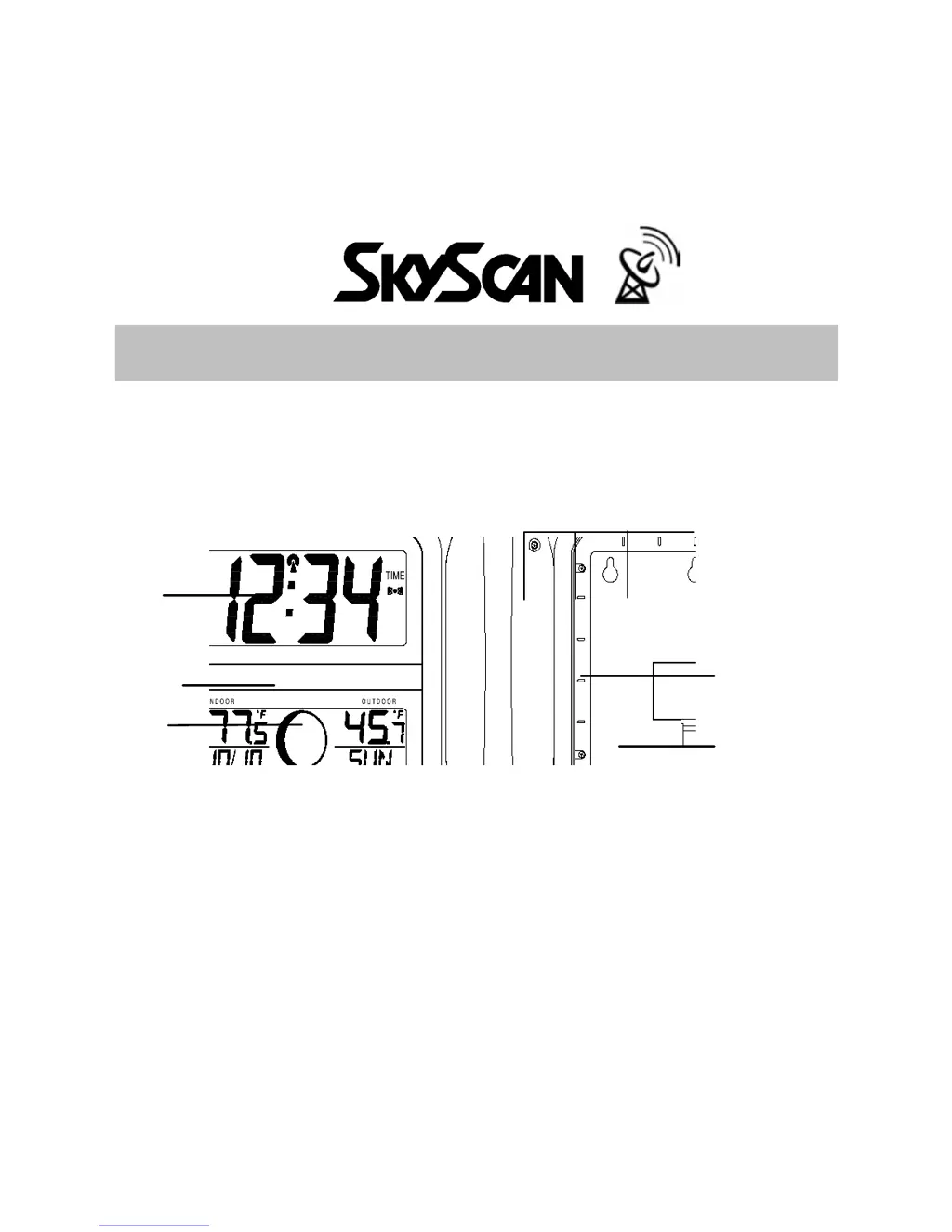
1
LCD2
display
Battery cover
LCD1
display
Hanging holes
®
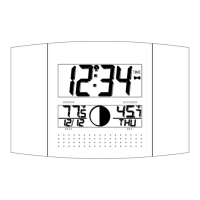
ATOMIC CLOCK WITH OUTDOOR WIRELESS TEMPERATURE
AND MOON PHASE
MODEL 87700
Instruction Manual
FEATURES:
ATOMIC CLOCK:
WWVB Radio controlled time with manual time setting
12/24 hour time display
Time display: hour, minute, second
Alarm setting with snooze function
Calendar display
Weekday display (4 languages to choose from: English, French, Spanish and German)
Time zone setting
Daylight savings time ON/OFF option (DST)
ºC or ºF temperature display selectable
Function
keys
Foldable stand

Questions and Answers

  • B
    Brian MccormickJul 31, 2025
    What to do if '--.-' appears in the outdoor temperature section of the LCD on my SkyScan Clock?
    • D
      David LewisJul 31, 2025
      If '--.-' appears in the outdoor temperature section of the LCD, it might be due to interferences from other electrical devices operating on the same signal frequency (433MHz), which may prevent correct signal transmission and reception. Try removing the batteries of both units for ten minutes, then reinsert them again, ensuring they are new and fresh. Alternatively, move the atomic clock closer to the transmitter or place the transmitter closer to the atomic clock, ensuring it is within receivable range. As another option, move the units to another location.
  • D
    david45Aug 5, 2025
    What to do if 'OF.L' appears in the outdoor temperature section of the LCD on my SkyScan 87700?
    • C
      Cory PerkinsAug 5, 2025
      If 'OF.L' appears in the outdoor temperature section of the LCD on your SkyScan Clock, it means the current temperature is outside of the measuring range of the transmitter or has temporarily affected battery strength. Wait until the current surrounding temperature cools down or increases. The outdoor temperature will be displayed again once the current surrounding temperature is within the range of the transmitter.
  • K
    Kevin WilliamsAug 10, 2025
    What to do if 'OF.L' appears in the indoor temperature section of the LCD on my SkyScan Clock?
    • N
      Natalie WilsonAug 10, 2025
      If 'OF.L' appears in the indoor temperature section of the LCD on your SkyScan Clock, it indicates that the current surrounding temperatures are outside the measuring range. Move the atomic clock to an area with warmer or cooler surrounding temperature.
  • B
    Barbara DonaldsonAug 15, 2025
    Why is my SkyScan Clock not receiving the WWVB signal?
    • K
      Kristen HendrixAug 15, 2025
      If your SkyScan Clock isn't receiving the WWVB signal, try these steps: Face the front or back of the atomic clock in the general direction of Ft. Collins, Colorado, to improve reception. Also, wait overnight for the signal to come through. Ensure the clock is at least 6 feet (2 meters) away from electrical devices like TVs, computers, or other radio-controlled clocks. If these steps don't work, remove the batteries for ten minutes.
  • C
    Cynthia JacksonAug 21, 2025
    Why is the hour incorrect on my SkyScan Clock, but the minute and date are correct?
    • R
      Richard MedinaAug 21, 2025
      If the hour is incorrect on your SkyScan Clock while the minute and date are correct, ensure that the correct time zone and daylight saving time are selected.
  • D
    Darren MurphyAug 25, 2025
    How to fix a faint LCD on my SkyScan 87700?
    • S
      Scott LindseyAug 26, 2025
      If the LCD on your SkyScan Clock is faint, replace the batteries.

Summary

INSTALLING AND REPLACING BATTERIES

ATOMIC CLOCK BATTERIES

Step-by-step instructions for installing batteries in the atomic clock.

TRANSMITTER BATTERIES

Process for installing batteries in the outdoor temperature transmitter.

SETTING UP AND CONFIGURATION

INITIAL SETUP PROCEDURE

Guides users through initial setup, including battery insertion order.

MANUAL SETTINGS

TIME ZONE SETTING

Detailed instructions for setting the time zone using manual controls.

DST SETTING

Instructions for enabling or disabling Daylight Saving Time.

MANUAL TIME SETTING

Procedure for manually setting the clock's time if radio reception fails.

ALARM AND SNOOZE FUNCTIONS

ALARM SETTING PROCEDURE

Steps to set an alarm time and activate it.

OUTDOOR TEMPERATURE TRANSMITTER OPERATION

TRANSMITTER RECEPTION AND DISPLAY MODES

433 MHZ RECEPTION CHECK

Troubleshooting steps for outdoor transmitter signal reception issues.

WWVB RADIO CONTROLLED TIME

WWVB SIGNAL EXPLANATION

Details the NIST WWVB radio station and signal reception.

WWVB RECEPTION TROUBLESHOOTING

Tips for improving WWVB signal reception and icon interpretations.

POSITIONING THE ATOMIC CLOCK

MOUNTING INSTRUCTIONS

WALL MOUNTING THE ATOMIC CLOCK

Detailed steps for securely mounting the main unit on a wall.

TROUBLESHOOTING AND MOUNTING

COMMON PROBLEMS AND SOLUTIONS

Addresses issues like faint LCD, no WWVB signal, and incorrect time.

CARE, MAINTENANCE, AND SPECIFICATIONS

SkyScan 87700 Specifications

General IconGeneral
BrandSkyScan
Model87700
CategoryClock
LanguageEnglish

Related product manuals