EasyManua.ls Logo

SkyScan 88825 - User Manual

Default Icon
5 pages
Print Icon
To Next Page IconTo Next Page
Loading...
1
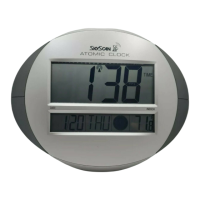
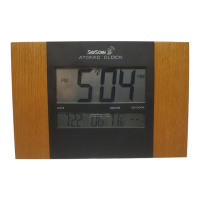
SKYSCAN ATOMIC CLOCK
Model 88825
Instruction Manual
Congratulations on purchasing the jumbo LCD wall clock. The utmost care has gone into the design and manufacture of
your clock. Please read these instructions carefully and store them in a safe place for future reference.
FEATURES
Precise Atomic Time display
Four separate time zones: Eastern, Central, Mountain or
Pacific
Calendar shows Month, Day & Date
Temperature shows in
O
F or
O
C
Alarm clock and snooze function
Displays time in 12 or 24 hour format
Daylight Saving Time function (DST)
Indoor temperature
BATTERY INSERTION / REPLACEMENT
Remove the battery compartment cover on the back of the clock.
Insert three “AA” batteries into the battery compartment. Make sure the polarity is correct by following the (+ or -)
symbols engraved inside.
Do not mix old and new batteries or batteries of different brands.
RECEIVING RADIO SIGNALS AUTOMATICALLY
After inserting the batteries, the display will be activated, but the clock will not operate or set for the first four minutes.
During this time, it will automatically search for the WWVB time signal, and the antenna icon will flash.
While the clock is searching for the WWVB time signal, the “WAVE/+” button can be pressed to stop the search for the
WWVB time signal.
If the WWVB signal has been received successfully, the antenna icon will display continuously and the display will
show the default time, date, and weekday.
STARTING THE SIGNAL SEARCH MANUALLY
In normal time display mode, you can also manually start the reception of the WWVB time signal any time: Press and hold
the “WAVE/+” button for 2 seconds. The antenna icon flashes until the clock has successfully received the WWVB time
signal and a solid antenna icon will displays on the LCD screen.
NOTE: During the search for the WWVB time signal, the setting function will not operate! This is normal and not a
defect in your clock.
Question and Answer IconNeed help?

Do you have a question about the SkyScan 88825 and is the answer not in the manual?

Summary

Radio Control Feature

US Time Zones

Illustrates the continental United States time zones and the clock's reception range.

Possible Reception-Interfering Sources

Clock Operation and Settings

Normal Operation

Instructions for adjusting DST and temperature format, and switching display modes.

Time and Calendar Setting

Procedure for manually setting the time, year, month, and date.

Setting Alarm Time

Steps to manually set the alarm hour and minute.

Switching Alarm On;Off

How to activate or deactivate the alarm and recognize its status via an icon.

Advanced Functions and Indicators

Snooze Function

Details on activating the snooze feature and its behavior.

Setting Time Zone

Method for selecting the desired time zone using a selector bar.

Low Battery Indicator

Information on the low battery alert and actions to take.

Range of Temperature Detection

Specifies the temperature measurement range and display for out-of-range values.

Table Standing or Wall Mounting

Instructions and diagrams for mounting the clock on a table or wall.

Care, Safety, and Warranty

Care of Your Clock

Guidelines for maintaining and cleaning the clock.

Safety Instructions

Important warnings regarding battery handling and disposal.

Warranty Information

Details on product warranty, limitations, and return policy.

SkyScan 88825 Specifications

General IconGeneral
DisplayLCD
Date DisplayYes
Temperature DisplayYes
Indoor/Outdoor UseIndoor
TypeAtomic Clock
Time DisplayDigital
Time Format12/24-hour
Power SourceBattery
Atomic Signal ReceptionYes

Related product manuals