16
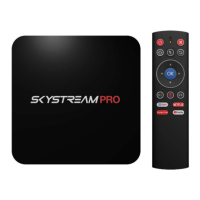
SkyStream Pro Remote
The remote is connected to the SkyStream Pro via Bluetooth. It is
already paired to the device and will work as soon as you insert
two AAA batteries into the battery compartment and press the OK
Button once.
Power Button
Turns the unit on and off
Mute Button
Mutes and Unmutes the sound. You can mute your TV and also
mute your TV box. They will both have the same effect, but if you
forget to unmute one or the other, you will not have sound.
Home Button
The Home button will bring you back to your Android TV
Boxes home screen from anywhere in any app. This can save time
from backing out of apps. Just press the home button and you are
ready to jump into another app.
Cursor Lock Button
Activates or disables the remotes cursor. When activated you can
move the remote control to move the on screen cursor. So let's say
you just wanted to use the directional pad to navigate within a
certain app, you would press this button once to lock the cursor. If
you want to turn the cursor back on, simply press the button again.


 To Next Page
 Loading...