Interpupillary distance(
((
(IPD)
))
)
Adjustable
·
Pull the IPD Adjuster to adjust the interpupillary distance
Brightness/ contrast settings
·
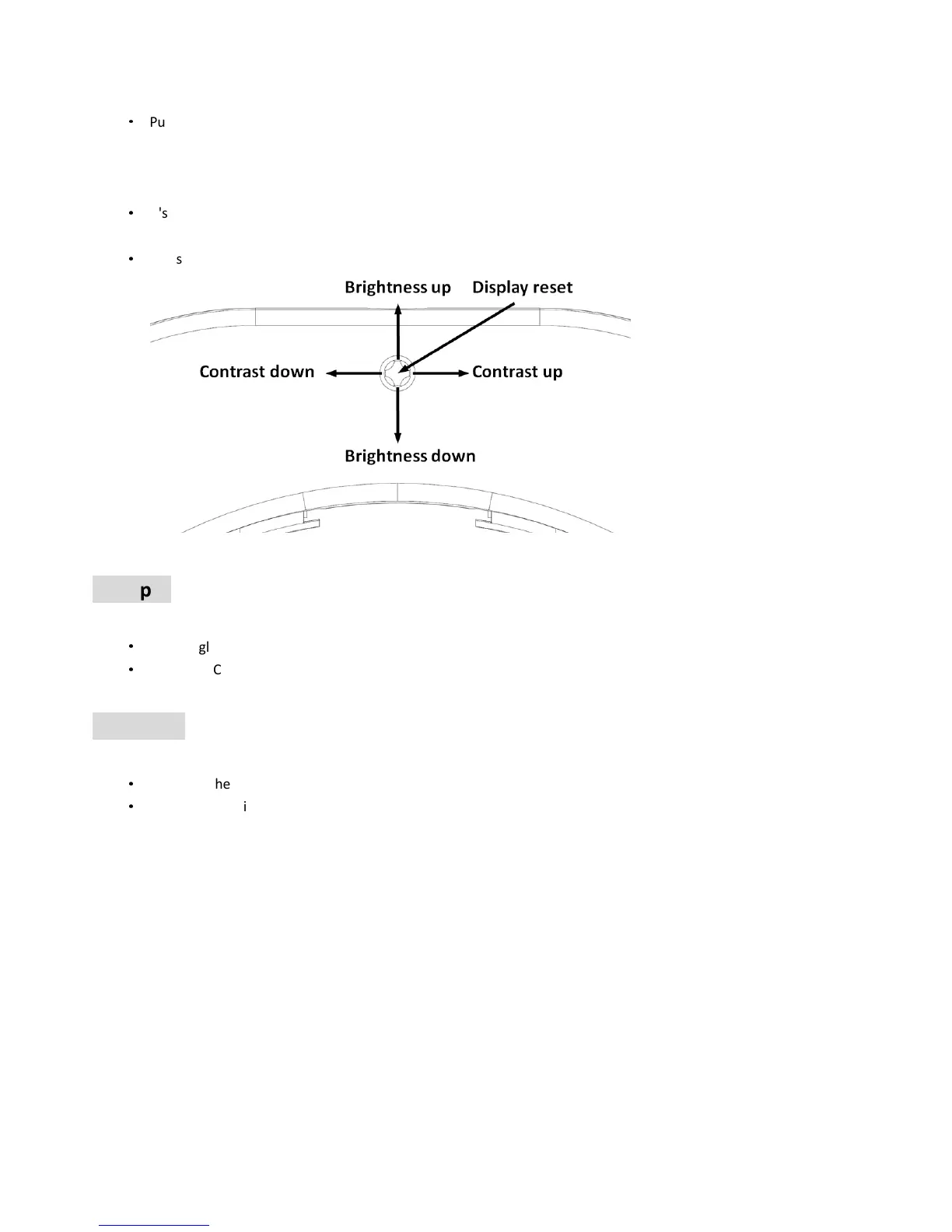
It's easy to setup the Brightness/Contrast with the 5-direction switch. Short press is to adjust gradually, long
press is to adjust continuously. It will auto saved if there is no operation within 5 seconds.
·
Press Center button 3 seconds to setup Brightness/Contrast to factory default.
AV input
·
The goggles support AV IN. The wireless model will close when the AV IN is connected to save power.
·
The Front Camera is ok for use under AV IN mode.
AV output
·
AV Out is the diversity Video and Audio output
·
Earphone port is audio output for connecting earphones.


 To Next Page