EasyManua.ls Logo

SkyZone SKY01S - User Manual

SkyZone SKY01S
6 pages
Print Icon
To Next Page IconTo Next Page
Loading...

SKYZONE
SKY01S
FPVGOGGLE
USERMANUAL
Question and Answer IconNeed help?

Do you have a question about the SkyZone SKY01S and is the answer not in the manual?

Summary

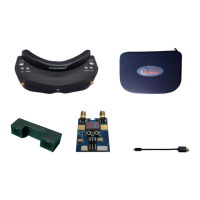
System Content

Function Diagram

Operation Guide

Quick Start

Provides essential initial steps for setting up and using the FPV goggles, including lens, antenna, and connection.

Channel Search

Explains how to initiate and utilize the channel search function to find and lock onto the correct video signal.

Functions of Buttons

Track Button Operation

Details the short press for head tracker reset and long press for menu setup.

Channel Button Operation

Describes using the button for channel selection in RF mode and menu navigation.

Band Button Operation

Explains using the button for band adjustment in RF mode and menu navigation.

Volume Up Button Operation

Details using the VOL+ button for volume adjustment and menu navigation.

Volume Down Button Operation

Details using the VOL- button for volume adjustment and menu confirmation.

Camera Button Operation

Explains pressing the button to switch to the front camera or enter/exit search menu.

RF Mode

Front Camera

Image Adjustment

Head Tracking

AV IN

AV OUT

Factory Settings

Firmware Upgrade

Specifications

Summary

System Content

Function Diagram

Operation Guide

Quick Start

Provides essential initial steps for setting up and using the FPV goggles, including lens, antenna, and connection.

Channel Search

Explains how to initiate and utilize the channel search function to find and lock onto the correct video signal.

Functions of Buttons

Track Button Operation

Details the short press for head tracker reset and long press for menu setup.

Channel Button Operation

Describes using the button for channel selection in RF mode and menu navigation.

Band Button Operation

Explains using the button for band adjustment in RF mode and menu navigation.

Volume Up Button Operation

Details using the VOL+ button for volume adjustment and menu navigation.

Volume Down Button Operation

Details using the VOL- button for volume adjustment and menu confirmation.

Camera Button Operation

Explains pressing the button to switch to the front camera or enter/exit search menu.

RF Mode

Front Camera

Image Adjustment

Head Tracking

AV IN

AV OUT

Factory Settings

Firmware Upgrade

Specifications

SkyZone SKY01S Specifications

General IconGeneral
Display TypeLCD
Screen Size4.3 inches
Field of View30 degrees
Frequency Range5.8GHz
Built-in ReceiverYes
Diversity ReceiverYes
DVRNo
Front CameraNo
AV InputYes
HDMI InputNo
Video FormatNTSC/PAL

Related product manuals