EasyManua.ls Logo

SkyZone SKY04L - User Manual

SkyZone SKY04L
8 pages
Print Icon
To Next Page IconTo Next Page
Loading...
SKY04L
LCOS FPV Goggle USER MANUAL
202103
V1.0
Question and Answer IconNeed help?

Do you have a question about the SkyZone SKY04L and is the answer not in the manual?

Summary

Specifications and Package Contents

Product Specifications

Detailed technical specifications for the SKY04L FPV goggles.

Package Contents

List of all items included in the FPV goggles package.

Product Overview and Diagram

Diagram and Component Identification

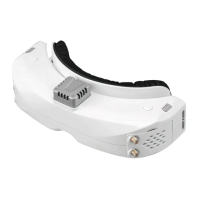
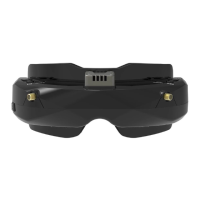
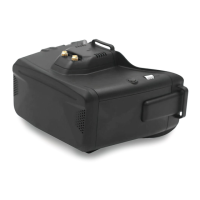
Visual guide identifying all external ports and controls of the FPV goggles.

Introduction to SKY04 L

Overview of the SKY04L FPV goggles, highlighting features and improvements.

User Operation and Settings

Quick Start Guide

Basic steps for initial setup and operation of the FPV goggles.

Band;Channel;Receiver Mode Setting

Instructions for configuring band, channel, and receiver modes.

Volume Setting

Guidance on adjusting volume levels for earbuds and AV OUT.

Mode Menu Options

Explanation of various operational modes available in the goggles.

Playback and DVR Controls

How to use the playback feature and control DVR functions.

System Settings

Overview of system settings including image, DVR, and general configurations.

Head Tracking Functionality

Details on how to set up and use the head tracking feature.

Image Display Settings

Instructions for adjusting display settings like brightness and aspect ratio.

System Menu Functions

Guide to navigating system menus for calibration, language, and reset.

Firmware Updates

Updating Goggles Firmware

Procedure for updating the firmware on the FPV goggles.

Updating DVR Firmware

Steps to update the DVR firmware using an SD card.

Updating Receiver Firmware

Instructions for updating the firmware of the receiver module.

Summary

Specifications and Package Contents

Product Specifications

Detailed technical specifications for the SKY04L FPV goggles.

Package Contents

List of all items included in the FPV goggles package.

Product Overview and Diagram

Diagram and Component Identification

Visual guide identifying all external ports and controls of the FPV goggles.

Introduction to SKY04 L

Overview of the SKY04L FPV goggles, highlighting features and improvements.

User Operation and Settings

Quick Start Guide

Basic steps for initial setup and operation of the FPV goggles.

Band;Channel;Receiver Mode Setting

Instructions for configuring band, channel, and receiver modes.

Volume Setting

Guidance on adjusting volume levels for earbuds and AV OUT.

Mode Menu Options

Explanation of various operational modes available in the goggles.

Playback and DVR Controls

How to use the playback feature and control DVR functions.

System Settings

Overview of system settings including image, DVR, and general configurations.

Head Tracking Functionality

Details on how to set up and use the head tracking feature.

Image Display Settings

Instructions for adjusting display settings like brightness and aspect ratio.

System Menu Functions

Guide to navigating system menus for calibration, language, and reset.

Firmware Updates

Updating Goggles Firmware

Procedure for updating the firmware on the FPV goggles.

Updating DVR Firmware

Steps to update the DVR firmware using an SD card.

Updating Receiver Firmware

Instructions for updating the firmware of the receiver module.

SkyZone SKY04L Specifications

General IconGeneral
BrandSkyZone
ModelSKY04L
Category3D Glasses
LanguageEnglish

Related product manuals