2. Quick start
Connect to PC via Wifi
The Slamware SDP connects to PC via wifi in AP or Station mode:
AP Mode
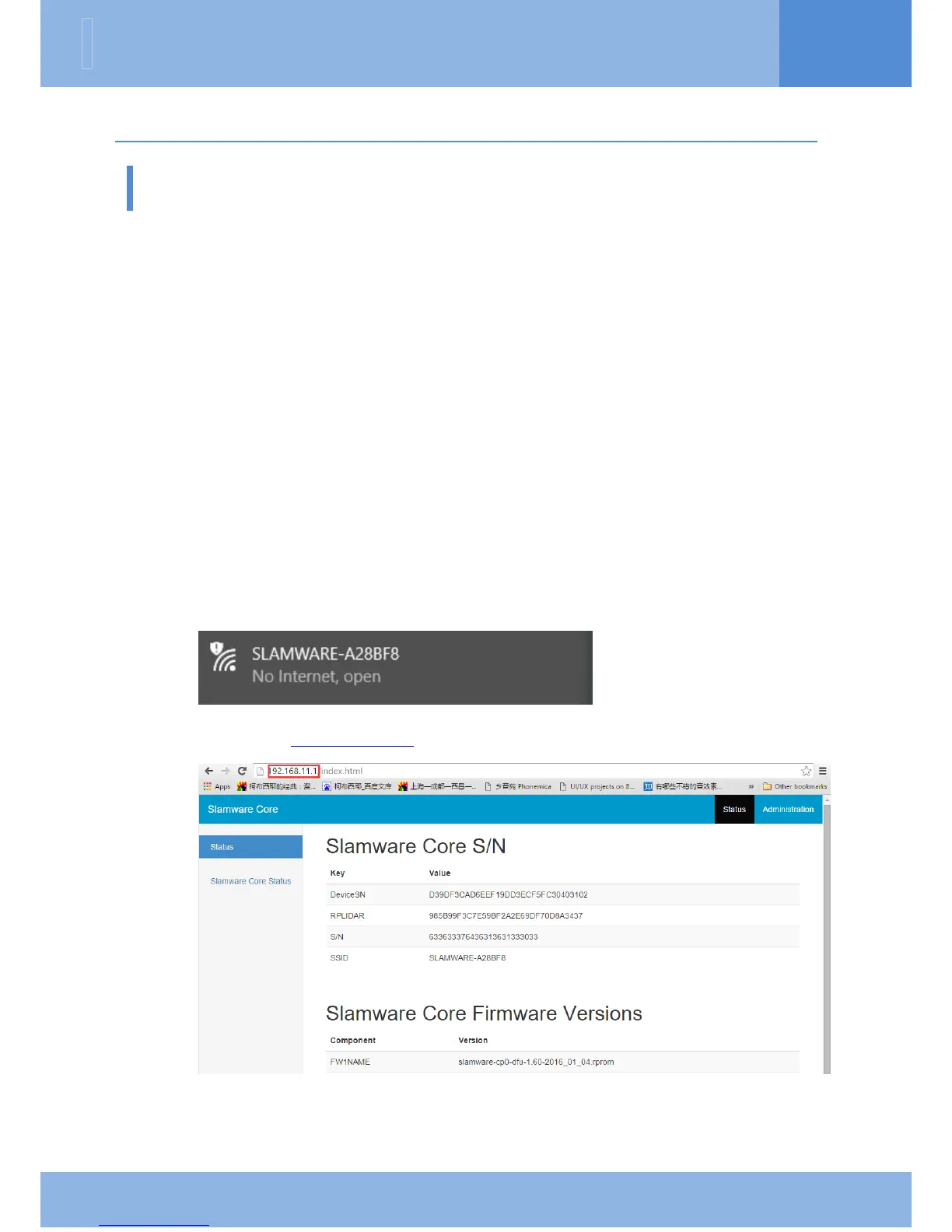
After launching Slamware SDP, we can connect the SlamSDP to a SSID named
SLAMWARE-XXXXXXXXXXXX detected from wifi scanning. The automatically
distributed network segment is 192.168.11.x.
Station Mode
We can set the Slamware SDP into Station Mode and connect it to LAN(Local Area
Network). The following section introduces detailed steps.
Step 1: connect to the AP of SLAMWARE Core via computer
Step 2: input http://192.168.11.1 in the browser address bar and open it
Step 3: click Administration on the upper right corner


 To Next Page