Need help?
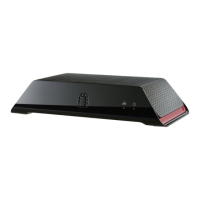
Do you have a question about the Sling Media Slingbox and is the answer not in the manual?
Covers warnings about water, heat, ventilation, power, cables, objects, cleaning, and stability.
Guidance on grounding outdoor antennas and cable systems for surge protection.
Covers lightning, power lines, servicing, damage, replacement parts, and safety checks.
Explains hazard symbols and specific warnings like rain/moisture exposure.
Guides on connecting various audio/video sources like cable boxes, antennas, and DVRs.
Explains how to connect the IR control cable for device control.
Provides instructions for connecting the Slingbox to a home network via Ethernet.
Step-by-step guide to install the SlingPlayer software on a computer.
Details the five key steps for setting up SlingPlayer and Slingbox.
Guides the user to select setup type: first-time or upgrade.
Guides the user through setting up audio and video connections.
Configures antenna or cable TV sources, scans channels, and sets channel lineup.
Guides selection of device type (DVR, Satellite Receiver) and brand for IR control.
Sets the correct IR control code for the connected device to enable remote control.
Guides the user to name the Slingbox and set passwords for access and administration.
Tests the IR connection between Slingbox and the external device.
Enables and configures remote viewing of the Slingbox over the internet.
Guides on setting up router for remote access via UPnP or manual configuration.
Details the process of opening ports on the router for remote access.
Guides on how to start SlingPlayer and watch TV from your Slingbox.
Provides instructions for viewing Slingbox content from outside the home network.
Provides instructions for updating SlingPlayer software automatically or manually.
Details how to update Slingbox firmware automatically or manually.
Offers tips for resolving issues with remote viewing setup and port forwarding.
Identifies common reasons for remote viewing failure and provides solutions.
Explains the necessity of an open port on the router for remote viewing.
Guides on opening ports on primary and secondary routers for remote viewing.
Details the process and reasons for restoring Slingbox to its original factory settings.
 General
| Brand | Sling Media |
|---|---|
| Model | Slingbox |
| Category | Software |
| Language | English |

 To Next Page