NOTE: THE SLINGBOX PRO-HD SUPPORTS RESOLUTIONS UP TO
1080i. IF YOUR A/V SOURCE OUTPUTS 1080p, YOU MUST SET IT TO
1080i . THE SLINGBOX WILL NOT WORK WITH 1080p.
TIP: Your Slingbox comes with component, composite, and aerial cables to pass-
through connections to your TV or set-top box. Use the highest quality connection that
your TV has available.
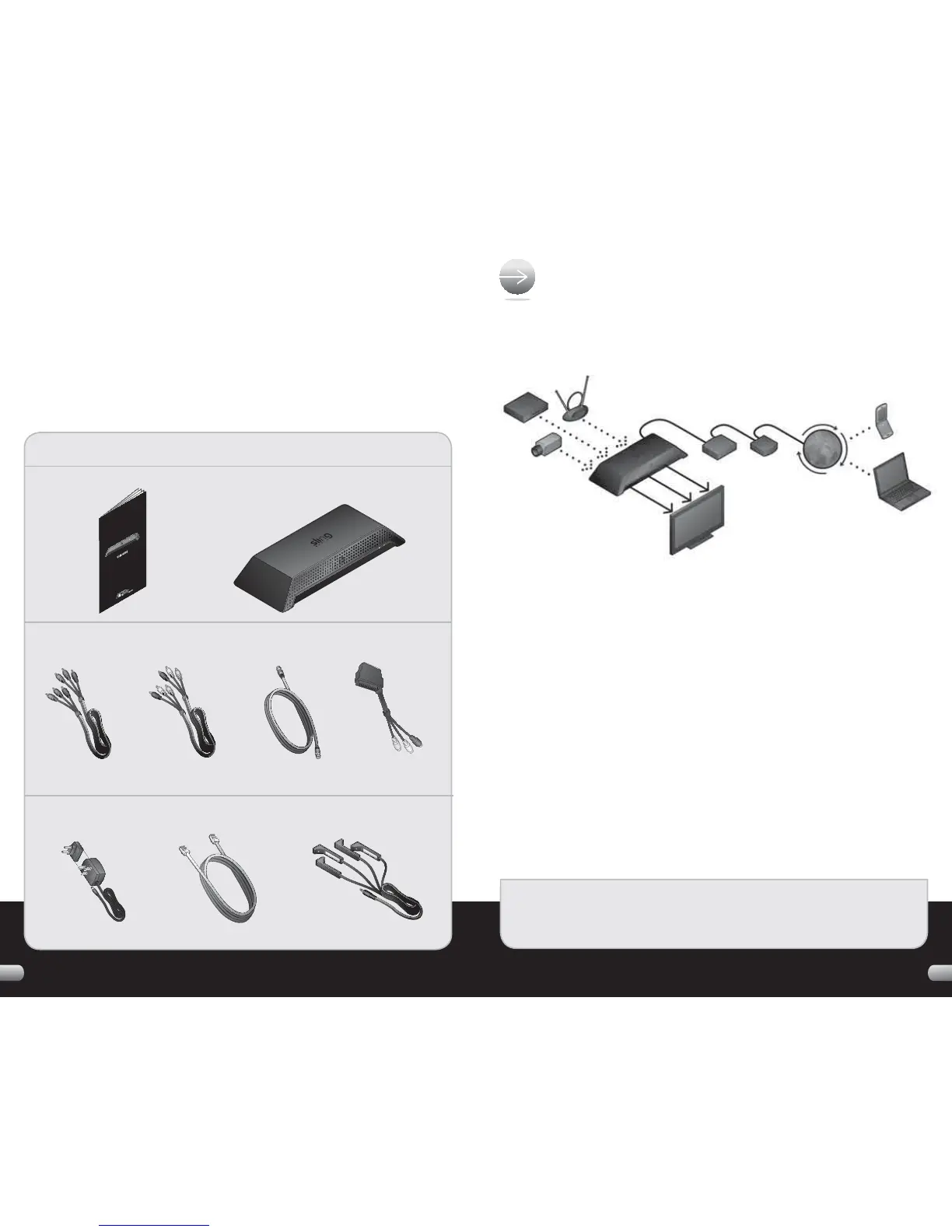
The Slingbox PRO-HD can connect to up to three audio/video sources:
• One high defi nition (HD) device using component cables for video. You can
use either analogue or digital cables for audio.
• One standard defi nition (SD) device using composite cables for audio and
video. If your A/V device has S-Video, you can use an S-Video cable for video.
• One standard defi nition (SD) device. Use an aerial cable for both audio and video.
Choose the highest quality connection that each A/V source has available. If you
have two devices that use the same kind of connection, connect the one that
you watch most often.
HERE'S WHAT YOU CAN CONNECT TO
YOUR SLINGBOX
:
32
WELCOME!
Thank you for purchasing the Slingbox PRO-HD. Follow these instructions to connect
your new Slingbox and to start watching your TV programs almost anywhere.
If you run into any problems along the way, visit our support web site where you
can fi nd video tutorials, technical articles and ways to contact Sling for help:
http://support.slingbox.com
WHAT’S IN THE BOX
:
User Guide
Audio and Video (AV) Accessories
Power and Network Accessories
Slingbox PRO
-
HD
Component
Video Cable
Composite
AV Cable
Aerial
Cable
SCART to
Phono Adaptor
Power Adapter Ethernet Cable Remote Control IR Cable


 To Next Page