13
Settings
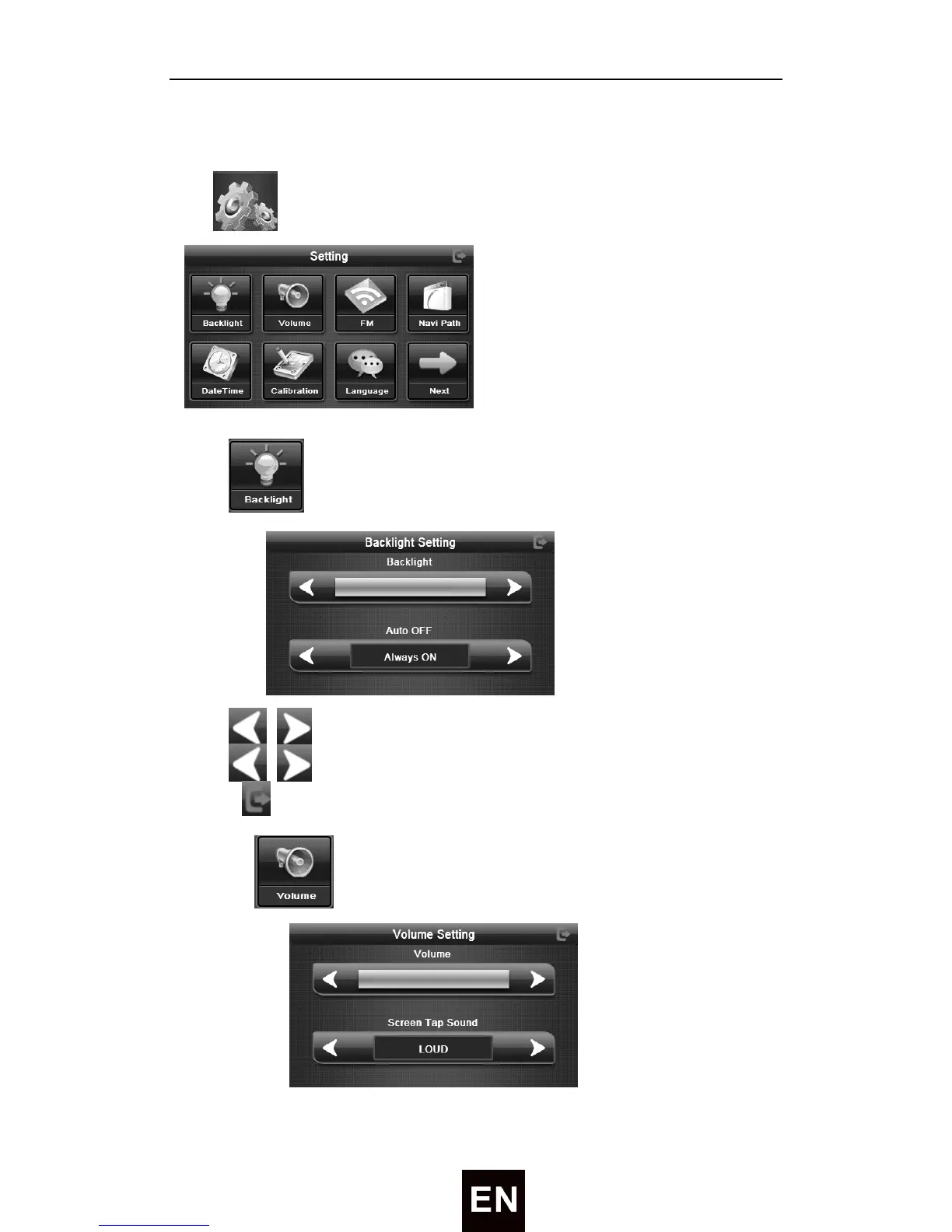
Tap Icon will enter the setting interface like followed:
1) Tap to enter the screen backlight like followed:
Tap / to adjust the screen backlight.
Tap / to show last column. This display is in circle.
Tap to exit brightness setting interface.
2) Tap to enter volume adjust interface like followed:


 To Next Page