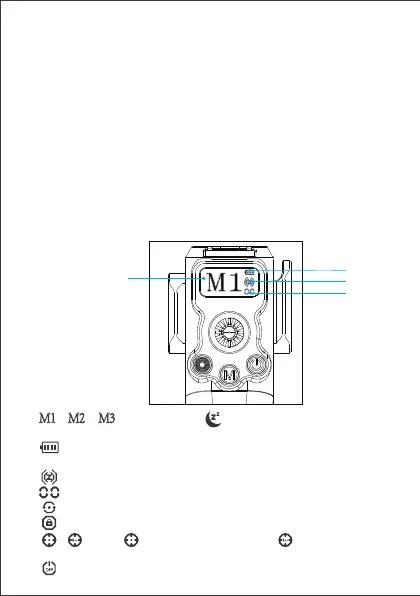
① “ ”,“ ”,“ ”:Mode indication,“ ”is displayed when the stabilizer goes into
sleep mode.
② “ ”For Battery indication, and the battery display bar flashes when charging; the
icon flashes when the power is ≤10%;
③ “ ” Zigbee icon, which flashes to indicate it is not connected to the remote control;
④ “ ”Current channel of the remote control module, range 00 ~ 15;
⑤ “ ”360 degree rotation mode
⑥ “ ” Lock mode
⑦ “ ”,“ ”Display“ ”in joystick calibration, display “ ” after calibration failure
when operating joystick.
⑧ “ ” Power Icon
图标指示
① ⑤ ⑥ ⑦ ⑧
③
④
②
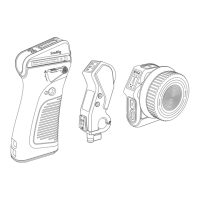
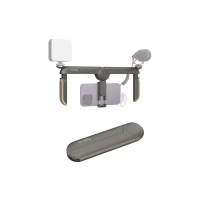
10.QD inteace: There is a QD inteace on the right slider, which can be used to
connect the stabilizer shoulder strap 4118.
11.Cold shoe mount: 2905B can be used to connect a 5-inch monitor. The inteace
can only bear 1kg and cannot be overloaded.
12.Wrist strap hole: PAC2456B can be used to make holding more comfoable
and safer.
13.Locking knob: After loosening the knob, control the angle of the handle.
14.Signal indicator light: used to indicate whether it is working properly, the blue
light indicates normal communication, and the red light indicates no connection.
15.Limit column: The limit column must correspond to the Nato inteace on the
DJI stabilizer, otherwise the stabilizer cannot be controlled.
16.Pin: Do not be too violent during disassembly or assembly, otherwise the Pin
inteace will be damaged.
M1 M2 M3


 To Next Page