[Note]
The motor can be controlled only
with same channel and motor
number.
F15
567
432 999
999 999
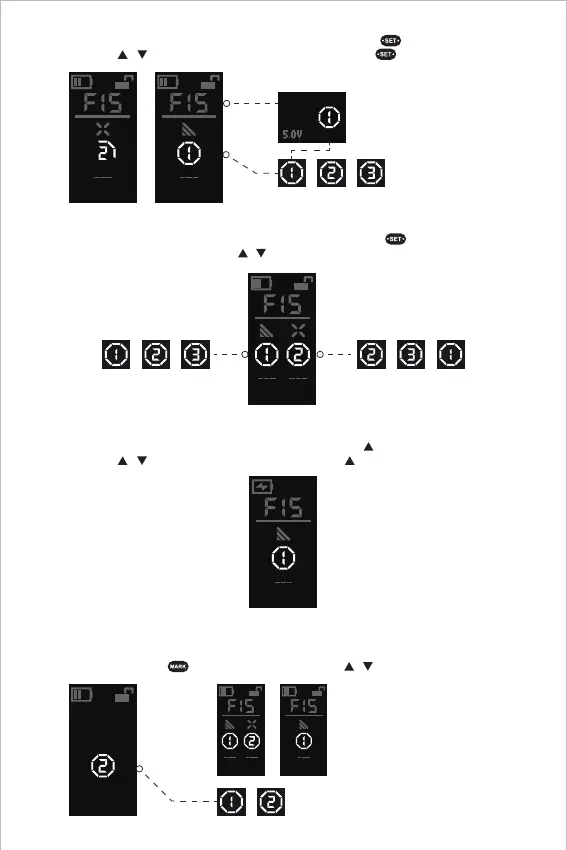
Electronic Controller Module Handgrip Mode: Press and hold to activate the motor
number; click / to adjust the number; press and hold to exit.
Wireless Handwheel Controller Single-Display Mode: Click SET " " to activate the motor
number; click / to adjust the number; press and hold SET " " to exit.
999
4. Lens Calibration (automatic / manual)
Method 1-1: Automatic lens calibration with the Wireless Handwheel Controller
[Note]
For double-display mode, it can identify
the available motor number;
For single-display mode, it can identify
the current motor number.
999
999 999
Mark
Confirm
Press and hold MARK " " to start the calibration; click / to adjust the motor number.
9
Wireless Handwheel Controller Double-Display Mode: Click SET " " to activate the motor
number and switch the control; click / to adjust the number; press and hold "SET" to exit.


 To Next Page