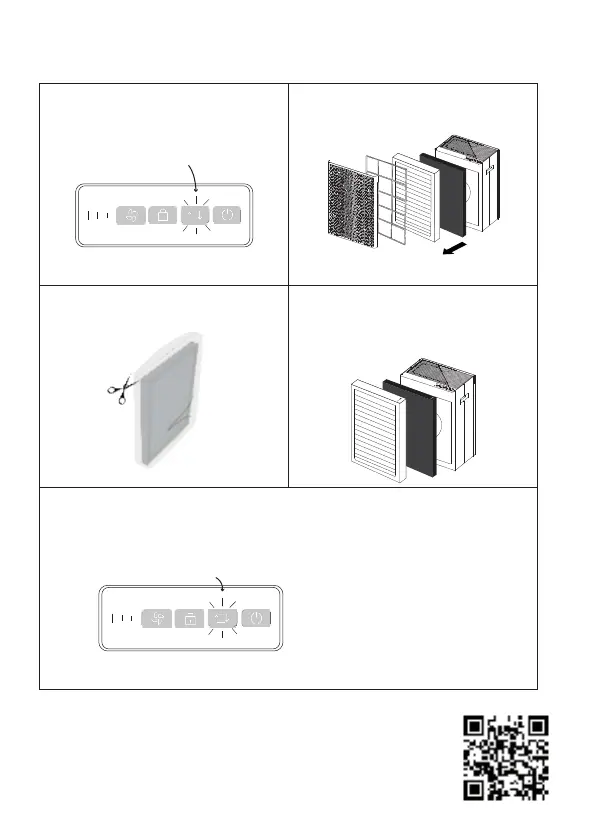
Replacing The HEPA Filter
1. The filter reset indicator will flash
continuously when your filter needs
replacing:
2. Pull out the front cover then lift out the
Pre-filter, HEPA and/or Carbon filter.
5. After inserting the front cover back into your purifier, hold the filter
replacement indicator for 4s. This resets the filter replacement indicator.
Note: the filter indicator light will illuminate after your fan purifier
has been running for approximately 1045 hours.
For more information on how this number varies based on your
usage, visit: https://smartairfilters.com/SA600-replacement
3. Remove your new HEPA filter from
its bag.
4. Insert your new HEPA/Carbon filter.
Ensure the arrow on the filter is in the
correct direction outwards.
The filter replacement indicator will
stop flashing once it has been
reset.
Hold for 4s


 To Next Page