EasyManua.ls Logo

SMART 35AT - User Manual

SMART 35AT
36 pages
Print Icon
To Next Page IconTo Next Page
Loading...
.
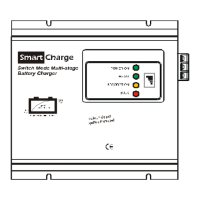
Smart Char
g
e
Switch Mode Multi-stage
Battery Charger
BA TT ERY C HA RG ER & P OWE R SU PPLY
Switch Mode SMART BATTERY CHARGER
EN INSTRUCTION MANUAL – Page 2
Intelligentes Mehrstufen BATTERIELADEGERÄT
DE BEDIENUNGSANLEITUNG – Seite 9
Caricabatterie switching a quattro stadi
IT MANUALE ISTRUZIONI – Page 16
Switch Mode SMART BATTERI LADER
NO BRUKERVEILEDNING – Side 23
Switch Mode BATTERILADER
DK BRUGERVEJLEDNING – Side 30
BC-012-5APT, 8APT, 10APT, 15APT, 15AT, 20AT,
BC-012-25AT, 30AT, 40AT, 50AT, 60AT, 70AT
BC-024-5APT, 8APT, 10AT, 15AT, 20AT, 25AT, 30AT, 35AT

Questions and Answers

  • W
    walkeraliciaAug 2, 2025
    What to do if my SMART 35AT has no DC output or won't start?
    • W
      Wayne KnightAug 2, 2025
      If your SMART Battery Charger isn't starting up or has no DC output, the possible causes include: no AC input, which means you should check the AC power source; over temperature shutdown, so allow the charger to cool down; bad contact of the battery terminal, thus check the connection between the charger and the battery; or an output short circuit.
  • L
    Lori ClarkAug 12, 2025
    Why is my SMART 35AT's charging not stable?
    • M
      michael20Aug 12, 2025
      If the SMART Battery Charger is not charging the battery stably, it could be due to the AC input voltage being too low, so keep the input voltage within the acceptable input range. Another cause may be wrong selection of charging voltage, in this case press correctly.
  • H
    Howard AllenAug 22, 2025
    How to fix a SMART 35AT Battery Charger that cannot switch to 'FLOAT'?
    • M
      Mary McphersonAug 22, 2025
      If your SMART Battery Charger isn't switching to 'FLOAT', it might be because the battery cable connected to the battery is too thin, so change the cable to a proper size. Alternatively, the battery may be in poor condition, so replace it with a new one.

Summary

Important Information

Introduction

Instruction and Normal Responses

Operation as Smart Charger

Describes the process of charging batteries using the four-stage smart charging system.

Operation as Power Supply

Explains how to use the device as a DC power source for loads when no battery is connected.

Output Voltage Setting Table

Cautions and Precautions

Troubleshooting Guide

Safety Operation Guidelines

Technical Specifications - 12 V Models

Technical Specifications - 24 V Models

Warranty Information

Disposal Instructions

SMART 35AT Specifications

General IconGeneral
Input Frequency50/60 Hz
Operating Temperature-20°C to +50°C
Output Voltage12V / 24V
Battery Type CompatibilityAGM, GEL, Wet, Calcium
Protection FeaturesReverse polarity, Over voltage, Over temperature

Related product manuals