USER GUIDE PAGE 7GSK-10000
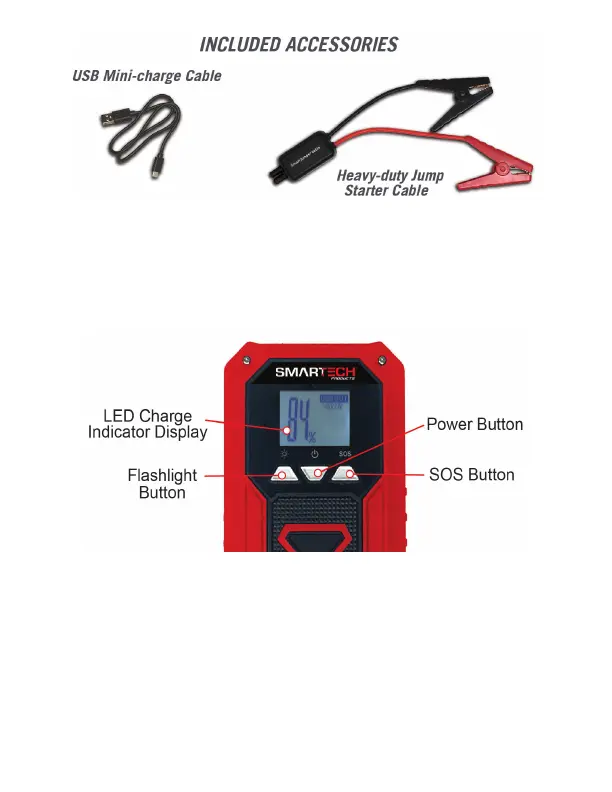
To turn on the GSK-10000 press the power button. The battery
level of the internal lithium-ion battery will be displayed in the LED
display. To turn off the unit, hold the power button for 3 seconds.
See image below.
TURNING ON THE GSK-10000/POWER LEVEL DISPLAY
The GSK-10000 has 2 light modes.
1. Bright
2. S.O.S.
To turn on the ashlight, press the Flashlight Button. Pressing the
S.O.S. button turns the S.O.S. ashlight ash feature on and off. To
turn off the ashlight, press and hold the Flashlight button.
USING THE LED FLASHLIGHT



 To Next Page