USER GUIDE PAGE 8GSK-6000
CHARGING THE GSK-6000
Option 1: Wall Charging
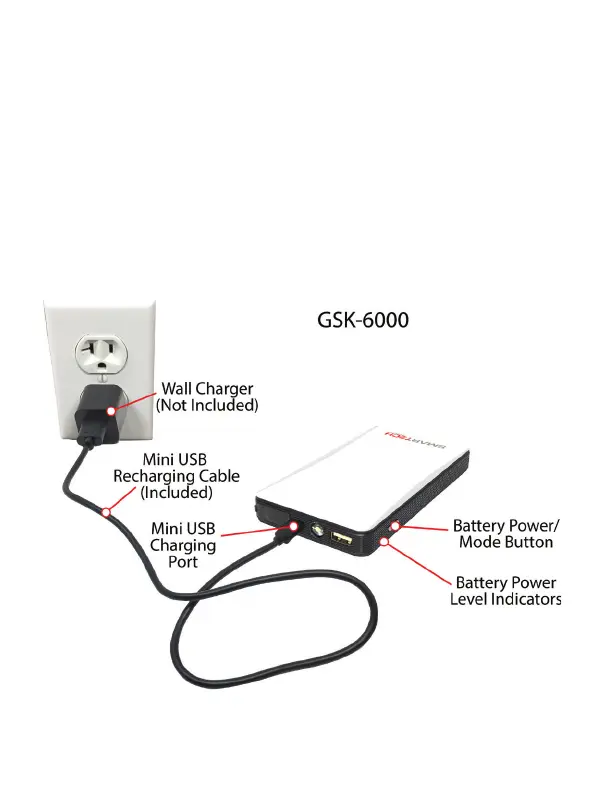
To charge the GSK-6000 internal battery, plug the Mini USB Charg-
ing Cable into the Mini USB Port on the front of the GSK-6000. Plug
the other end of the cable into a USB wall charger adaptor. Plug
the wall charger adaptor into a wall outlet. The 4 blue LED charg-
ing indicators will show the charging status of the GSK-6000. See
image below:



 To Next Page