Step 8
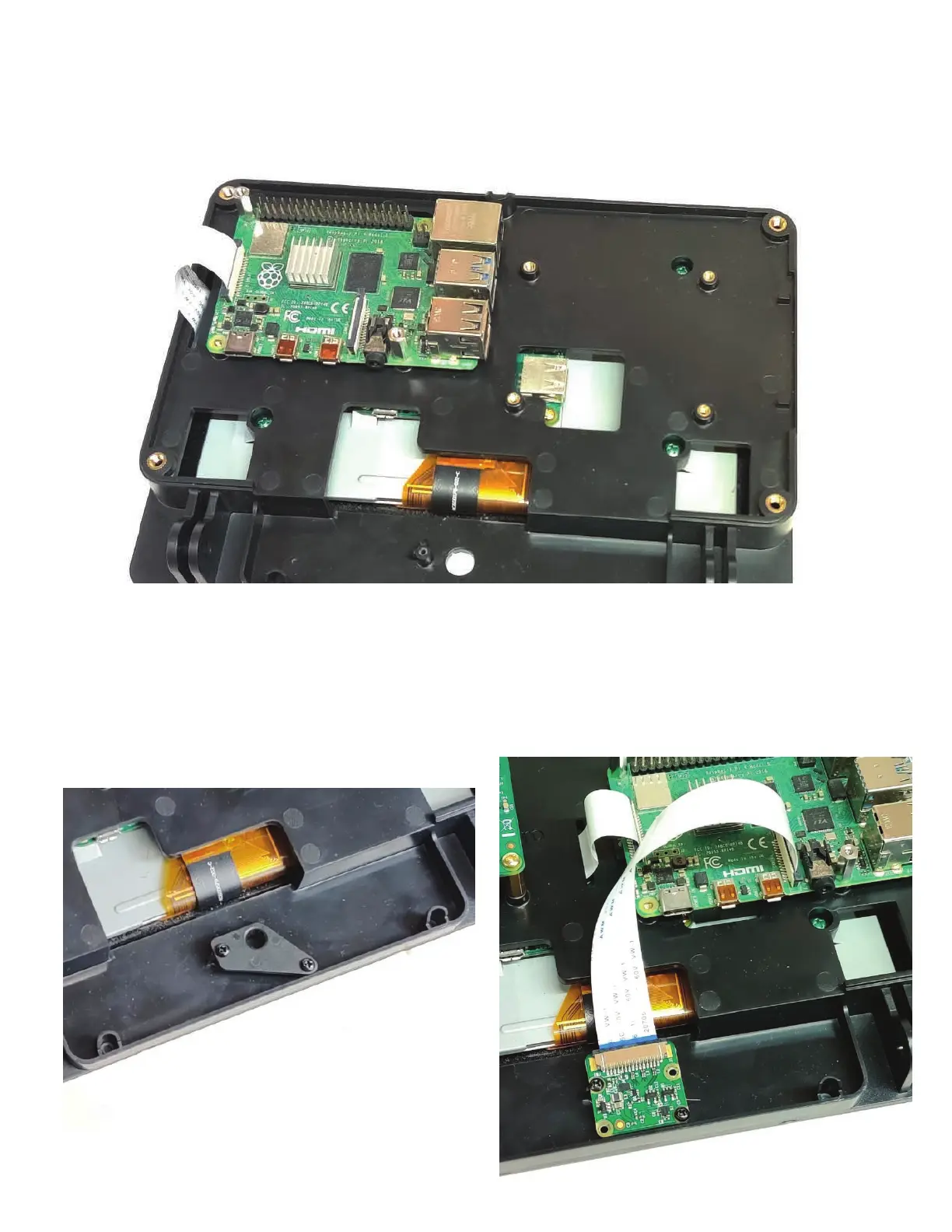
Assemble the camera cover part with two of the small black screws if you choose to not use the camera.
If you choose to use the camera, the Official Raspberry Pi camera can be assemble into the these holes
with two of the small black screws
You can choose to mount the Raspberry Pi in the other set of brass inserts if you wish. Although you
won’t have access to the USB and ethernet ports.


 To Next Page