24
Switching modes
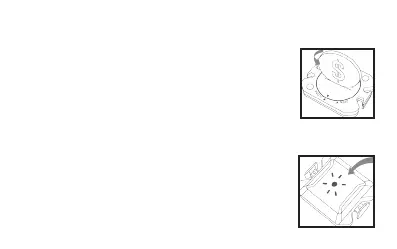
To switch between speed and cadence measurement, you
need to open the battery lid with a coin in direction
of OPEN. Remove the battery and reinsert it into the
device.
Close the battery lid by again using the coin in direc-
tion CLOSE.
The sensor will restart and the LED will light up. The co-
lor of the LED will indicate in which mode the device is:
1. Red LED = speed mode
2. Blue LED = cadence mode


 To Next Page