18
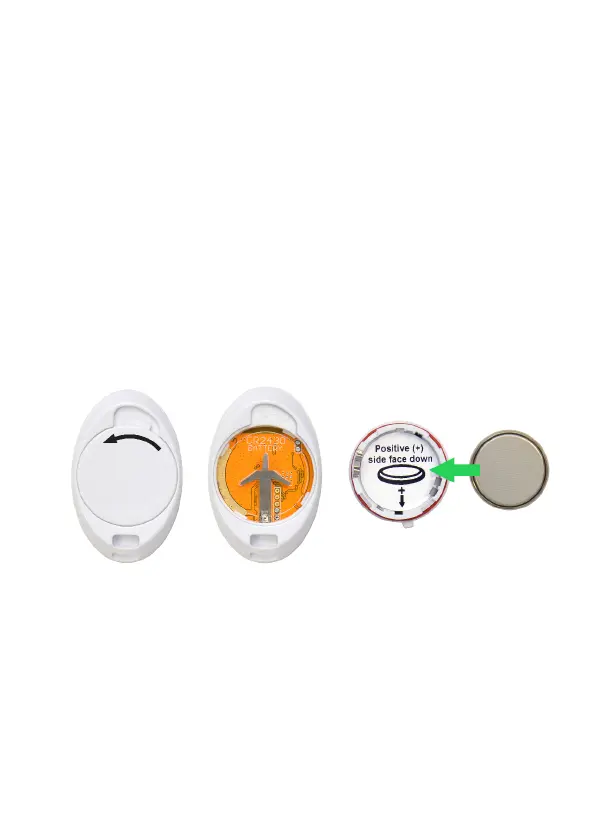
To replace the battery
1) To access the battery, turn the battery
cover anti-clockwise to the unlocked
position, replace the battery then replace
and lock the battery cover in a clockwise
rotation.
2) NOTE. Insert the new battery with the
Positive (+) side facing downwards in the
lid.
turn anti-clockwise to
open
positive side down in
the lid.
Replace the lid and lock



 To Next Page