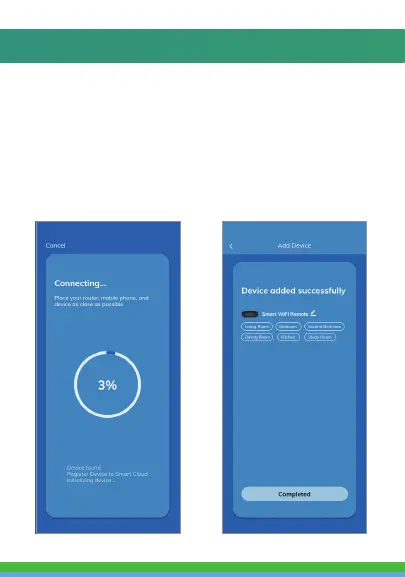
6. Connecting process will begin. Do not turn off
Smart Wi-Fi Remote or phone while connecting.
Wait for connection process to complete.
7. Once device has been successfully added, name
the device what you would like it to be called in
the app. The Smart Wi-Fi Remote is ready for use.
5. Make sure phone is connected to the Wi-Fi
network that the device will be connected to
and that the network is a 2.4GHz network.
Enter your password for the Wi-Fi network.
4. Confirm indicator light is blinking and press
the “confirm indicator rapidly blinks” button.



 To Next Page