VISIT WWW.SMART-POND.COM FOR PRODUCT INFORMATION AND TIPS.
EN
6
TROUBLESHOOTING
IF THE PUMP FAILS TO OPERATE:
• Check to make sure the power cord is plugged in; the pump is
getting power.
• Check the pump outlet and any tubing, nozzles, spitters etc. for
kinks or obstructions.
• Remove the inlet screen and/or pump cover, and impeller
housing to expose the impeller. Turn the impeller to ensure that
it is not broken or jammed.
IF THE PERFORMANCE OF THE PUMP IS NOT SATISFACTORY
OR THE PUMP DOES NOT FLOW EVENLY:
• Check to make sure the pump is completely submerged in
water.
• Check to make sure the impeller and the housing are clean.
• Adjust ow control.
For more information on product maintenance and
maintenance videos, visit www.smart-pond.com/
maintenance
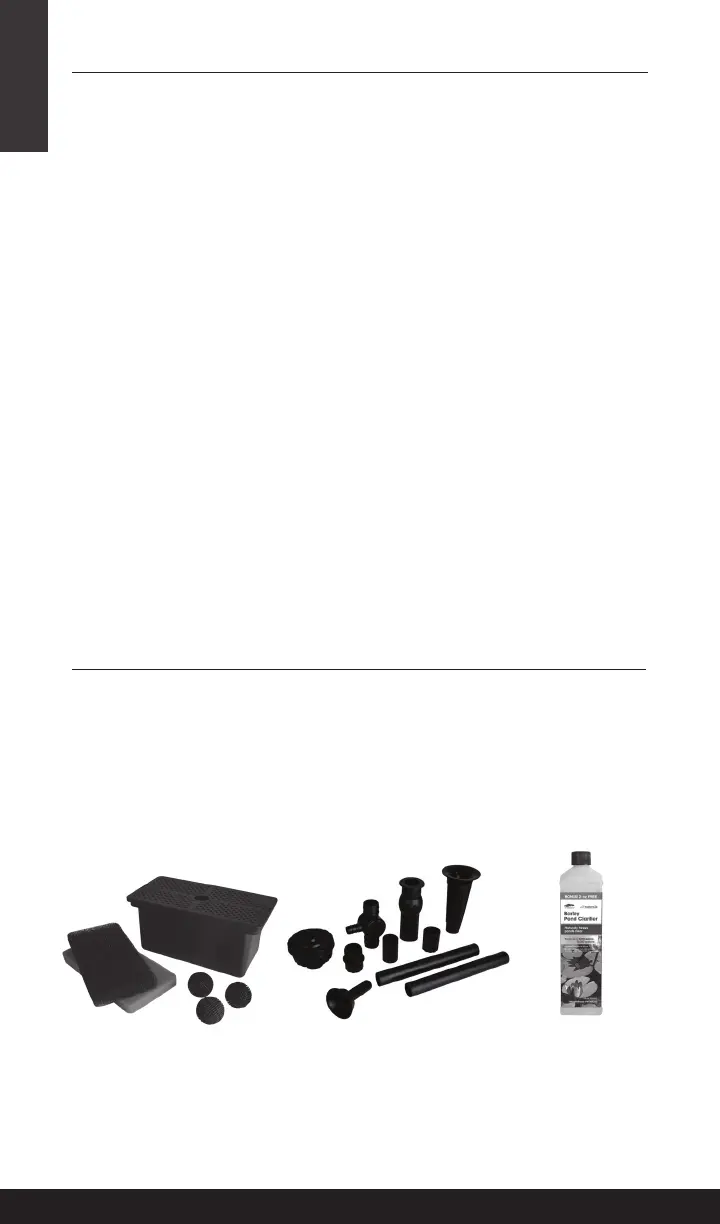
Pump Filter Box
52281 (MFBX500)
52500 (MFBX500CA)
Pond Nozzle Kit
52269 (APNK)
52531 (APNKCA)
Barley Pond Clarier
54408 (WTNBL18)
36118 ((WTNBL18CA)
To learn more about how to complete your pond project, visit
www.smart-pond.com
PRODUCT TIPS
To keep your pond healthy and your pump running smoothly,
smartpond
®
is here for you.
• Use the Filter Box to protect your pump with pre ltration.
• To add the beauty of a fountain nozzle to your pond, use the
Pond Nozzle Kit.
• To keep pond water clean and clear, use Barley Liquid Clarier
to naturally maintain your pond.


 To Next Page