Smart Power Systems
®
A. C. MODULAR GENERATOR SYSTEM
Page 35 of 56
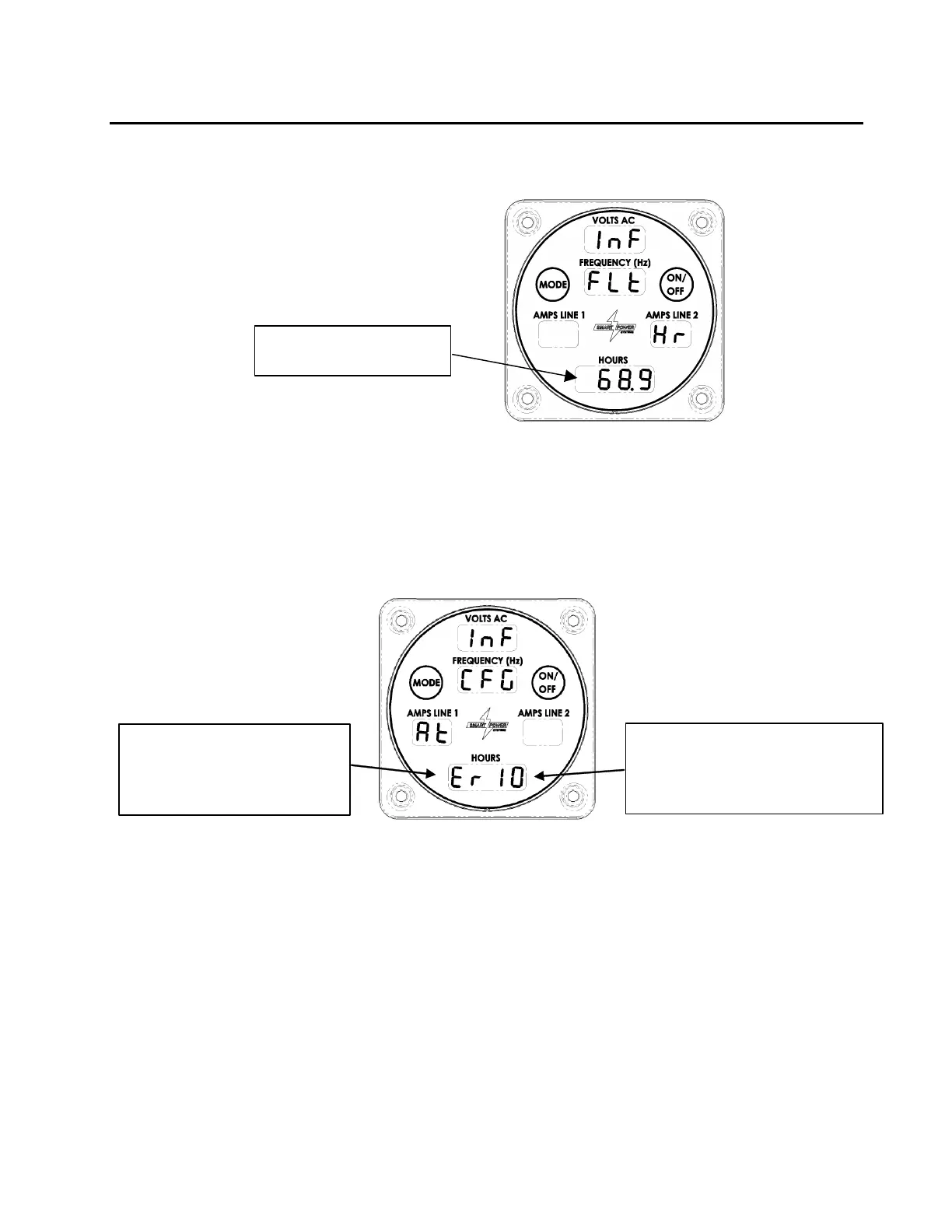
d. Pressing the Mode switch a fourth time will cause the amount of time since the oil
filter was last changed to be displayed in the hours field as seen in Figure 22.
Time Since last Oil Filter
Change in Hours.
Figure 22 - Oil Filter Run Time Display
e. When the Command & Control Center is in Normal mode, pressing the Mode
button five times will cause the configuration of the generator system controller to
be displayed. For example, “” indicates the controller is configured to run an
enclosed generator, and the number displayed corresponds to the maximum
power output of the generator in kilowatts (reference Figure 23.)
The system controller is
configured to operate a generator
whose maximum output is this
number (in kW).
The indicates the system
controller is configured to
operate an ER-series
Generator
Figure 23 - Configuration Display
f. If there are no active faults, pressing the Mode button once more will return the
Command & Control Center to normal mode. If there are active faults, they will
be displayed in succession, one each time you press the Mode button.
See Diagnostics in the trouble shooting section for more information on faults.



 To Next Page