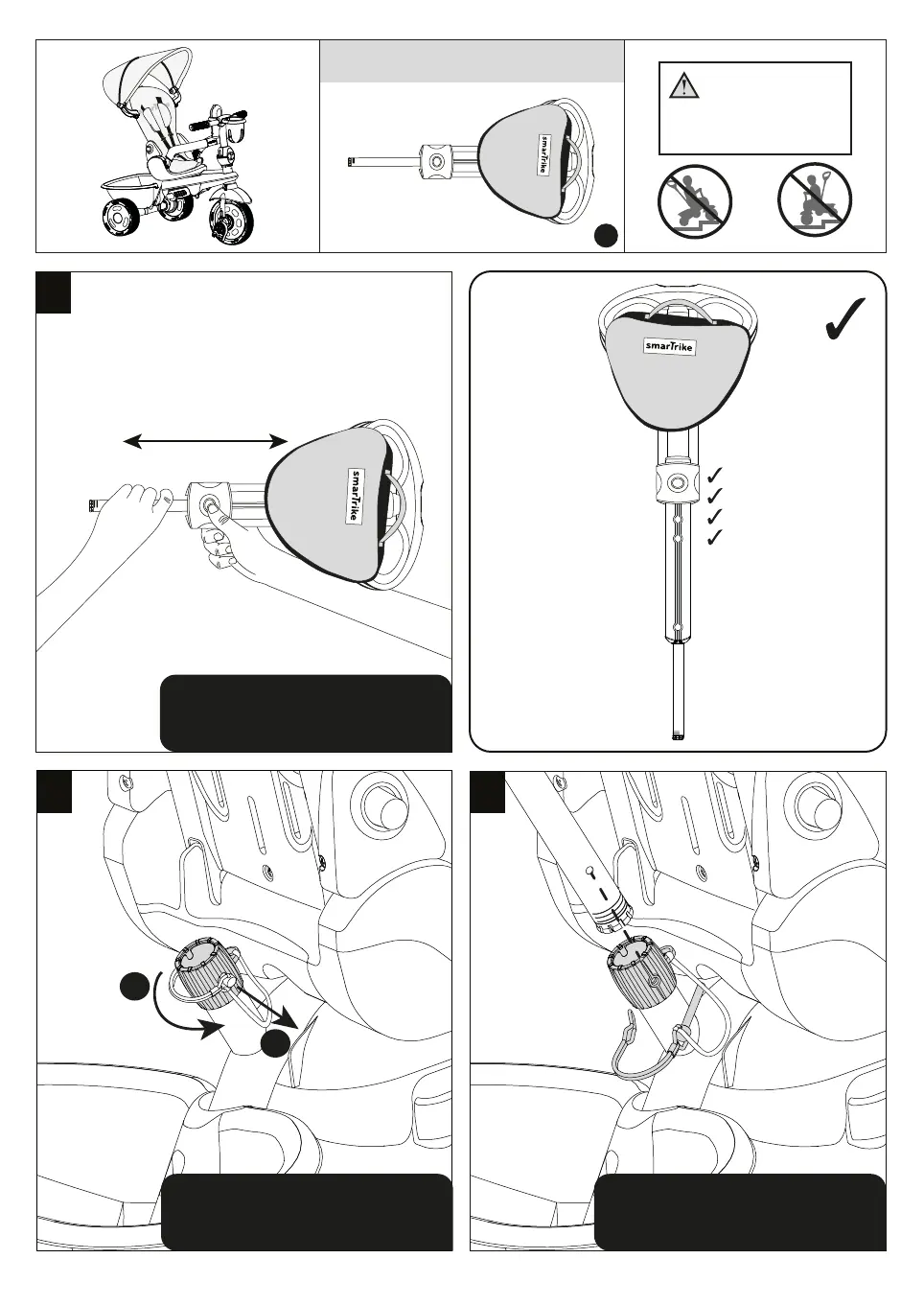
Step 9
Parts needed to complete this section
L
-
9a
-
WARNING: This product
should be used on safe
ground, it should not be used
near steps, slopes, roadways,
public highways or wet areas.
Push the button on the parent
handlebar as shown, and fully
extend length.
9b
2
1
Unlock securing pin and remove
it from the hole.
9c
Insert the parent handle (L) into
the retaining hole at the rear of
the trike.
-10-


 To Next Page
 Loading...