8a
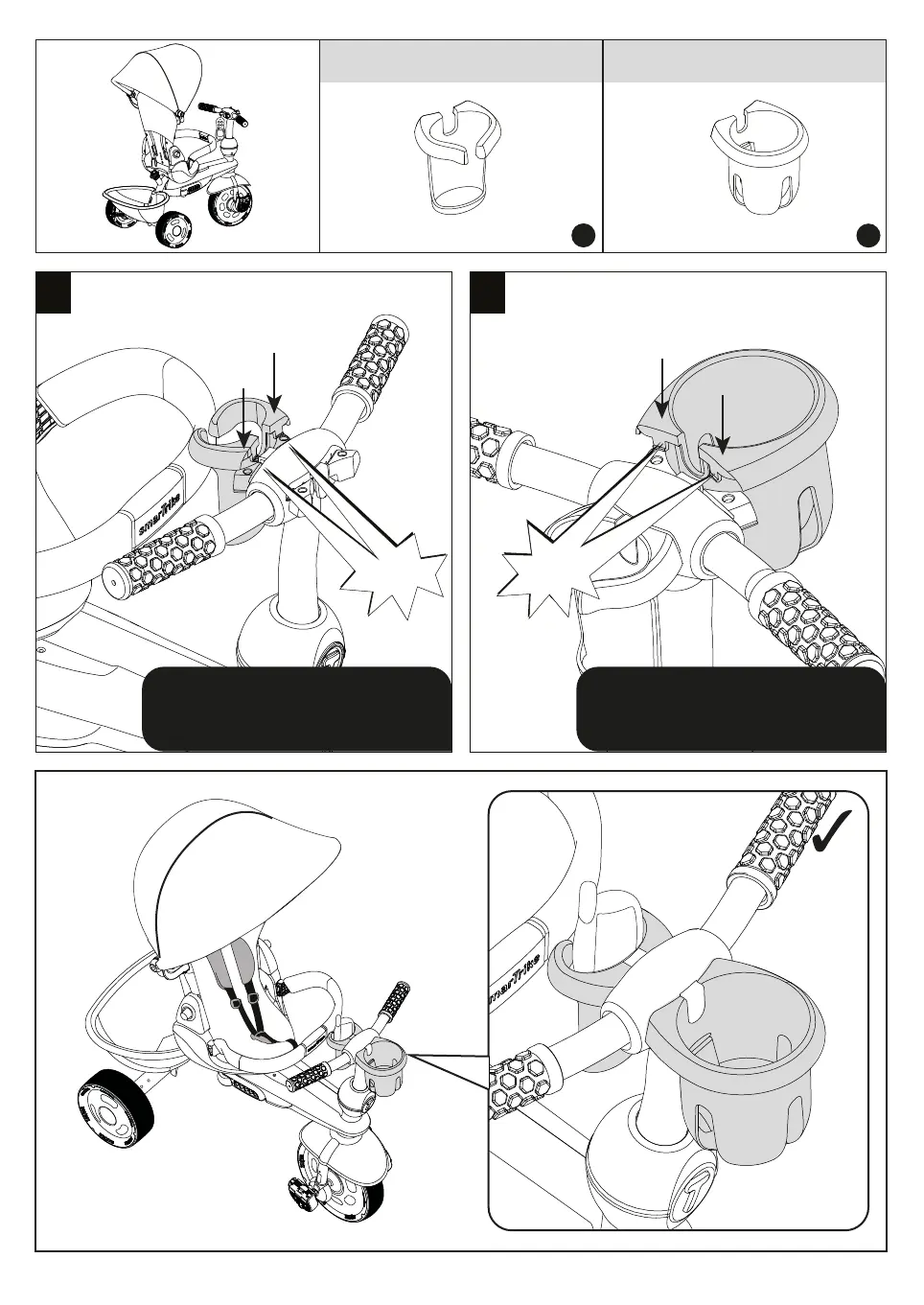
Step 8
Parts needed to complete this section
K
J
Align part J in to the designated
holes in the center of the handlebar
and push down firmly until it "clicks".
CLICK!
8b
CLICK!
-9-
Align part K in to the designated
holes in the center of the handlebar
and push down firmly until it "clicks".



 To Next Page