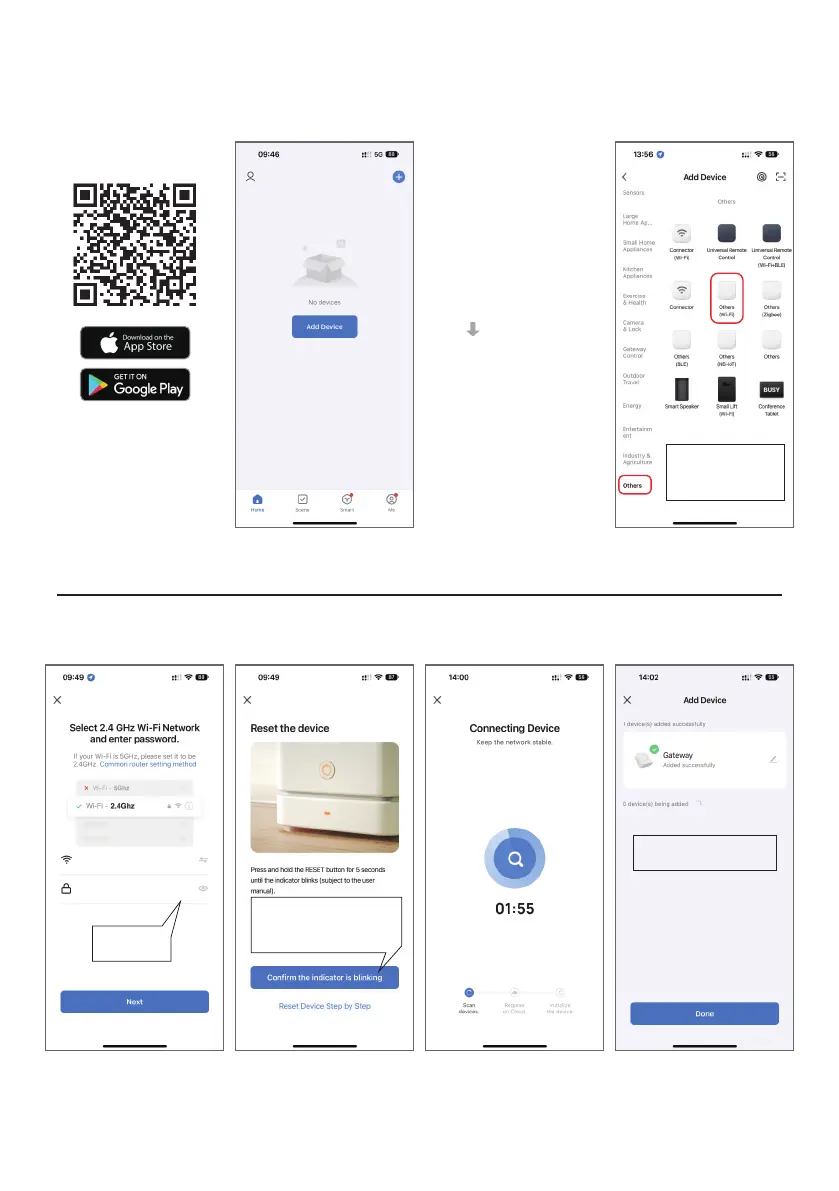
first WiFi connection
Add
Step 2:
gateway:
Click “Others”, select
and click “Others
(WiFi)” to enter the
network setting page.
Enter
password
Step 1:
Scan the QR Code with your
phone to download the “
Smart Life” app, and register
an account.
(Before all
operations, please
make sure your
phone is connect to
2.4GHz WiFi.)
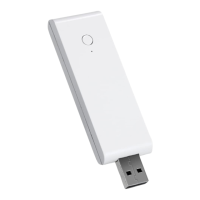
Plug the smart link
into a USB charging
port, and wait for the
green indicator blink
quickly.
Open the Smart Life
app, enter the
homepage, click
“Add Device” into a
new page.
Make sure the green
indicator is blinking quickly
and then click “Confirm the
indicator is blinking”.
Add the smart link
successfully!
Attention!
If the connection fails, please
see the end of the manual to
reset the smart link.


 To Next Page