EasyManua.ls Logo

SMC Networks IDF1E-10 - User Manual

Default Icon
34 pages
Print Icon
To Next Page IconTo Next Page
Loading...
IDX-OM-H006-H
Initial issue: January 2004
8th edition : November 2010
Operation Manual
PRODUCT NAME
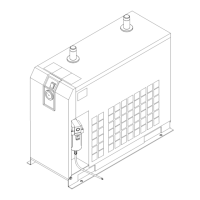
Refrigerated Air Dryer
MODEL / Series
IDF1E-10
IDF2E-10
IDF3E-10 IDF3E-20
IDF4E-10 IDF4E-20
IDF6E-10 IDF6E-20
IDF8E-10 IDF8E-20
IDF11E-10 IDF11E-20
IDF15E-10 IDF15E-20
Please read this manual prior of using the air dryer. Keep the manual readily available for
reference.
© 2010 SMC CORPORATION All Rights Reserved.

Questions and Answers

  • A
    adamsamberAug 11, 2025
    What to do if SMC Networks Dryer does not turn on?
    • K
      Kevin ChenAug 11, 2025
      If your SMC Networks Dryer isn't starting and the running lamp is off, even when the switch is on, there are a couple of things to check: * Make sure the power cord and plug are securely connected. * Verify that the circuit breaker is ON and of the proper capacity. If it trips, wait 3 minutes before restarting. If it continues to trip, there may be an electrical insulation issue, and you should remove the power supply.
  • S
    Shari StarkAug 18, 2025
    Why is there moisture downstream of my SMC Networks IDF1E-10 Dryer's compressed air lines?
    • M
      Margaret KingAug 18, 2025
      If you're finding moisture downstream of your compressed air lines with your SMC Networks Dryer, here are a few things to investigate: * Ensure the bypass valve of the air dryer is completely closed. * Check the auto drain for any issues like raised or bent drain pipes, or problems with the auto drain strainer. * If the piping is connected to another unit without an air dryer, install an air dryer on that line or separate the lines to prevent convergence.
  • N
    Nicole HunterAug 25, 2025
    Why does my SMC Networks Dryer stop and start on its own?
    • D
      Dana ShahAug 25, 2025
      If the running lamp on your SMC Networks Dryer turns off and the compressor stops during operation, but then resumes after a while, it could be due to several reasons: * Poor ventilation or high ambient temperature. Try to improve the ventilation to lower the ambient temperature. * Blocked ventilation grilles. Ensure the dryer is at least 40cm away from the wall and clean the grilles monthly. * High compressed air temperature. Improve ventilation around the air compressor or install an after-cooler. * Incorrect supply voltage. The voltage should be within the range of 90V ~ 110V/90V ~ 121V for 100VAC or 180V ~ 220V/180V ~ 242V for 200VAC. Consider installing a transformer or reviewing the electrical wiring to correct the voltage.
  • A
    Amanda WadeAug 29, 2025
    What to do if the evaporation thermometer on my SMC Networks Dryer is too high?
    • J
      Jason SmithAug 29, 2025
      If the evaporation thermometer on your SMC Networks Dryer is reading higher than the green zone, it could be due to: * Poor ventilation or high ambient temperature. Improving the ventilation system to lower the ambient temperature can help. * Obstructed ventilation grilles. Make sure the air dryer is at least 40cm away from the wall and clean the ventilation grilles monthly. * High compressed air temperature. Improving ventilation around the air compressor or installing an additional after-cooler after the air dryer may reduce the temperature.
  • F
    Frank ValdezSep 4, 2025
    How to fix a large pressure drop in my SMC Networks Dryer?
    • M
      moonashleySep 4, 2025
      If you're experiencing a large pressure drop with your SMC Networks Dryer, make sure the IN/OUT valve on the air dryer side is fully opened.

SMC Networks IDF1E-10 Specifications

General IconGeneral
BrandSMC Networks
ModelIDF1E-10
CategoryDryer
LanguageEnglish