User instructions
11
PROGRAMS TABLE
The manual contains the programs table for several models. To find the
table for your dishwasher, compare the program symbols at the top of the
table with those on your control panel.
SETTING THE WASHING PROGRAM AND SWITCHING ON
After identifying the most suitable program with the aid of the programs
table:
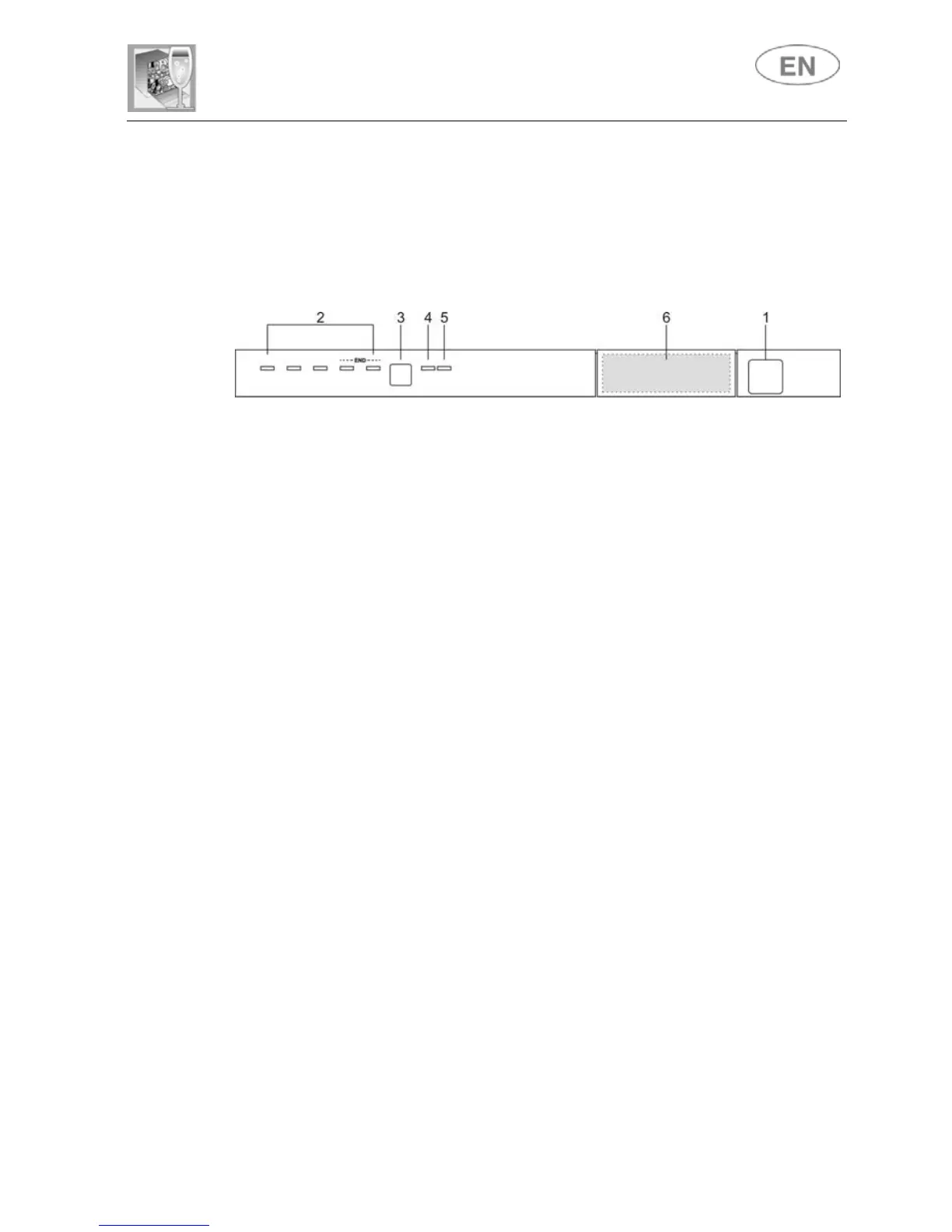
• Press the ON/OFF button (1) and wait for the PROGRAM
INDICATOR LIGHT (2) to illuminate;
• Keep pressing the PROGRAM SELECTION button (3) until the
indicator light corresponding to the desired program illuminates;
• select the option required (if any and if the model provides options);
• close the door; after about 2" the program will start LIGHT will
flashing (indicating that the program is being executed).



 To Next Page