14.2 Replacing the light bulb
To replace the light bulb, proceed as follows:
Disconnect the oven from the power supply. Take the plug out
of the socket or switch off the oven’s power circuit.
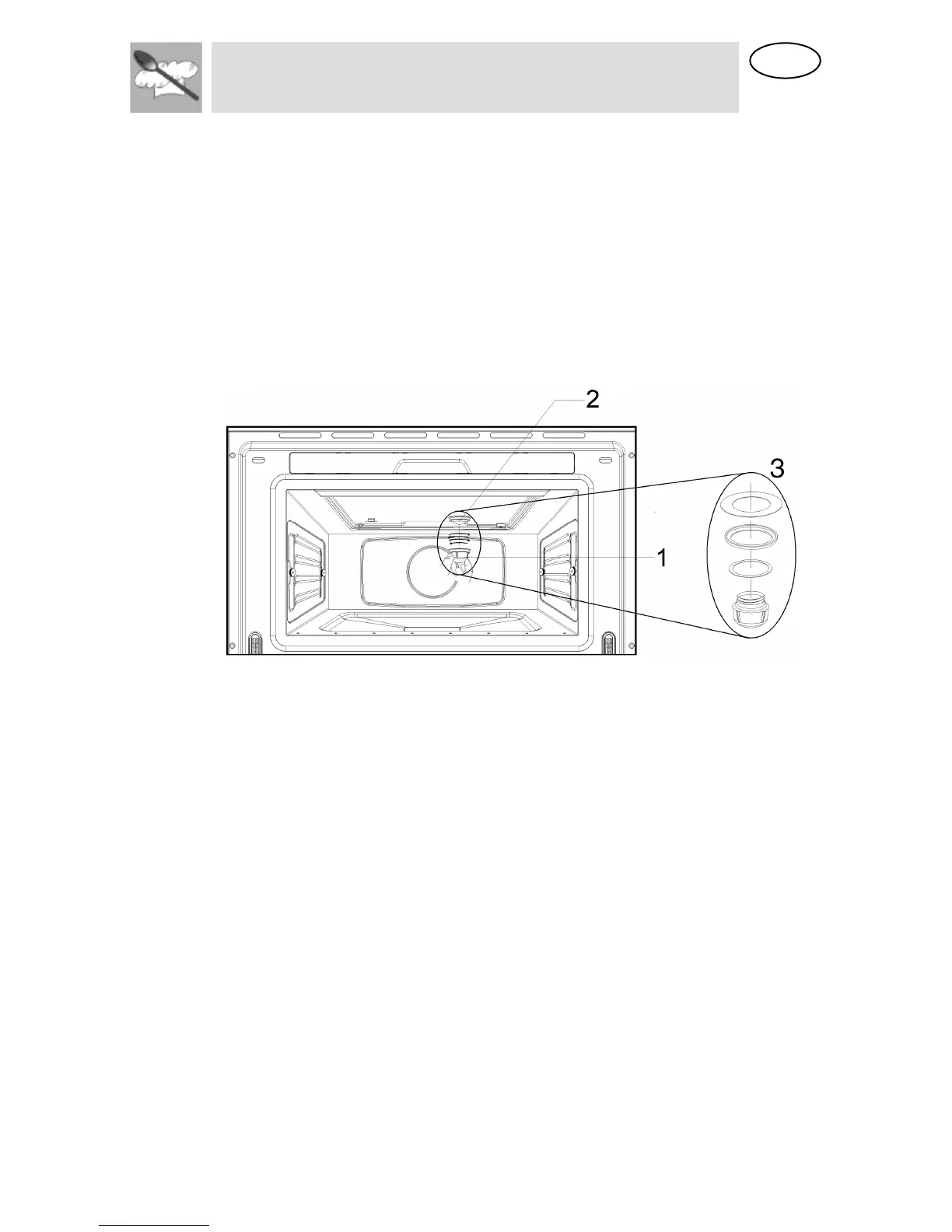
Unscrew and remove the glass light cover (1).
Remove the light bulb (2). Warning! The bulb may be very hot.
Fit a new E14 230-240V/15W bulb. Follow the lamp manufacturer’s
instructions. IMPORTANT NOTE: Make sure that the sealing rings (3)
are applied in the correct sequence.
Screw the glass light cover into place (1).
Connect the oven again to the power supply.


 To Next Page