Need help?
Do you have a question about the SMJ DT4B1C and is the answer not in the manual?
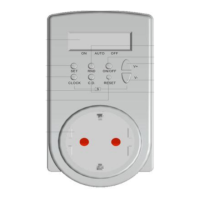
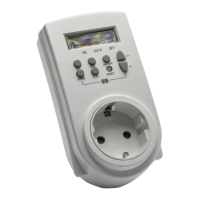
The Woods DT4B1C digital timer is a versatile device designed to pre-set specific on/off times for various electrical appliances. It serves as a modern alternative to mechanical switching clocks, offering enhanced ease of use and accuracy. This timer is suitable for a wide range of applications, including household use, safety purposes, and industrial settings.
The primary function of the DT4B1C is to automate the switching of electrical devices. It allows users to schedule up to 10 distinct on/off cycles per day, providing flexibility for individual daily schedules or recurring weekly patterns. This capability makes it ideal for managing heating systems, electronic heaters, radiators, radios, coffee machines, and various lighting arrangements, such as those for display windows, courtyards, or staircases. Additionally, it can be used to schedule the operation of high-energy-consuming appliances like laundry machines, dryers, or dishwashers during off-peak hours to save electricity. The timer supports both individual and daily on/off cycles, as well as a permanent on/off state, offering comprehensive control over connected devices.
The DT4B1C features a clear LCD display that shows the current time in a 24-hour format and the active day of the week (Mo, Tu, We, Th, Fr, Sa, Su). It is operated via four function buttons: "Day," "PGM" (Program), "On/Off/Min," and "Zone/Hour."
To set the week, users press and hold the "Day" button for 3 seconds until the LCD display flashes. Subsequent presses of the "Day" button cycle through the days of the week. For time setting, after the display flashes, users press the "Hour" button to set the hour and the "Min" button to set the minutes. Holding either the "Hour" or "Min" button for 3 seconds will cause the time to increase rapidly. The device also includes a summer time setting feature, activated by pressing and holding the "Zone" button for 3 seconds. This allows for quick adjustments of +1 hour or -2 hours as needed. The setting state automatically exits after 15 seconds of inactivity or by pressing the "PGM" button. To change settings, the user simply repeats the week or time setting steps.
The timer supports up to 10 on/off programs. To enter programming mode, the user presses the "PGM" button once from the clock state. The LCD will display "1" to indicate the first program, followed by symbols for "power on time setting state" and "power off time setting state." Users set the desired on/off times using the "Min" and "Hour" buttons, similar to clock setting. The "Day" button is then used to select the days for which the program will be effective. This can be a single day, all days of the week, or specific blocks of days (e.g., Mo-Fr or Sa-Su). The selection cycles through various combinations, ensuring flexibility in scheduling.
To reset the time for a specific program, the user presses the "PGM" button until the desired program is displayed. Then, the "Day" button can be used to cancel, reset, or retrieve the program. To cancel a program, the "Reset" button is pressed and held for 3 seconds. A single press of the "Reset" button retrieves a previously set program. After cancellation, new programs can be set using the "Day," "Hour," and "Min" buttons. After setting programs, pressing and holding the "PGM" button for 3 seconds returns the device to the clock state, or it will automatically return after 15 seconds.
The timer has three operational states: "On," "Auto," and "Off."
The device is powered by a G6 type battery. For prolonged battery life, it is recommended to keep the appliance plugged into the main socket, where it runs on a 230V power supply. When unplugged, the timer operates on a 1.5V power supply. For safety and optimal performance, it is advised to set programs and the current time while the device is operating on the 1.5V power supply (i.e., unplugged from the main socket).
 General
| Type | Digital Timer |
|---|---|
| Current Rating | 16A |
| Number of Channels | 1 |
| Display | LCD |
| Battery Backup | Yes |
| Model | DT4B1C |
| Timer Modes | Daily, Weekly |


 To Next Page