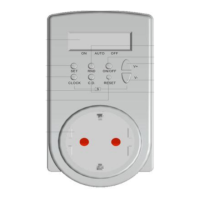
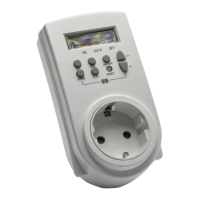
● Time setting:
● Summer time settin
Example:
→ 18:00→19:00→17:00→18:00→
● Exit setting state:
● Change setting:
Programmes setting
● At clock state, press “PGM” button once to activate programming mode
● At this state, “1 ” is displayed at the left hand side of the LCD
● “1” represents the first programme for setting power on/off time
● “ ”represents power on time setting state
● “ ” represents power off time setting state
● Press “Day” button to set desired day/days for programmed on/off times.
▲will move to point at different combinations of days on the screen in a recurring sequence as belo
→Mo→Tu→We→Th→Fr→Sa→Su→Mo···Su→Mo···Fr→Sa Su→Mo···Sa→Su→Mo→
4. When ▲ points at “Mo. Tu. We. Th. Fr. Sa. Su.” Or “Su”, respective programme set is effective on
those respective day or block of days
2. When ▲ points at all Mo. Tu. We. Th. Fr. Sa. Su., respective programme set is effective
1. When ▲ points at either Mo. Tu. We. Th. Fr. Sa. Su. , respective programme set is effective under
that specific day
on all days of the week
those respective block of days
Press and hold “Zone” button for 3 seconds to enter into summer time setting
state. Time will change in the manner: +1hr, +1hr , -2hrs and so on.
3. When ▲ points at “Mo. Tu. We. Th. Fr.” Or “Sa. Su.”, respective programme set is effective on
Release buttons and clock display state will be returned to after 15 seconds; or
press “PGM” button to enter into programme setting state.
Power on/off times can be set for one specific day during the week or a block of days during the week
● Press “Min” and/or “Hour” buttons to set desired on/off time in the same manner as week and
clock setting
Press and hold “Day” button for 3 seconds until the display on LCD flashes.
Press “Hour” button to set hour and “Min” button to set minutes. By holding
onto the “Hour” button or “Min” button for 3 seconds, time will increase in an
accumulated manner. Release button when desired time appears.
Press and hold “Day” button for 3 seconds until the display on LCD flashes.
Follow steps in week setting/time setting to reset desired day/time.


 To Next Page
 Loading...