Page 8 of 17
Installing the appliance
This section describes the steps needed to install the appliance in a number of scenarios, including:
l Installing as a basic web proxy
l Installing in firewall mode
Installing as a basic web proxy
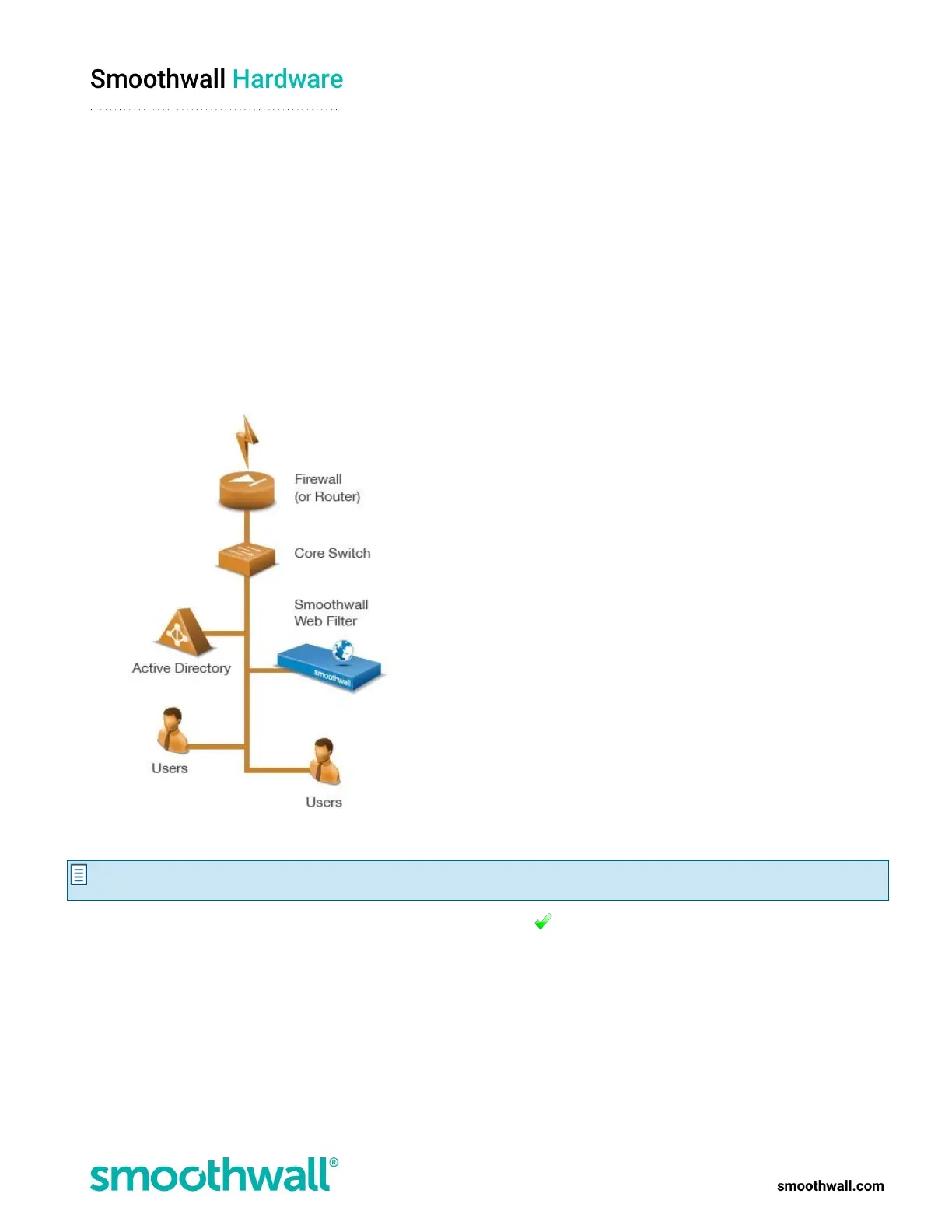
This is the simplest scenario. The appliance is deployed using only one interface plugged into the network. Typically, this is used in
a Secure Web Gateway installation.
To do a basic installation:
1. Place the appliance in a stable and secure location.
2. Connect an Ethernet cable from port 1 on the appliance to your network; the other ports are not used:
3. Using the supplied AC power cord, connect the appliance to the power supply. The appliance boots.
Note: On initial start-up your appliance will perform a series of system configuration tasks. Please be patient while your
appliance completes this initial start-up procedure.
If the appliance does not power on and boot automatically, hold down the key on the keypad for one second.



 To Next Page