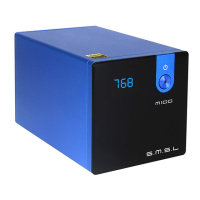
1. Power / input Key
Hold the "Power / Function" key to shut down (the red indicator lights up when the
power is OFF), and then press it again to turn it on (the red indicator turns off
when the power is ON).
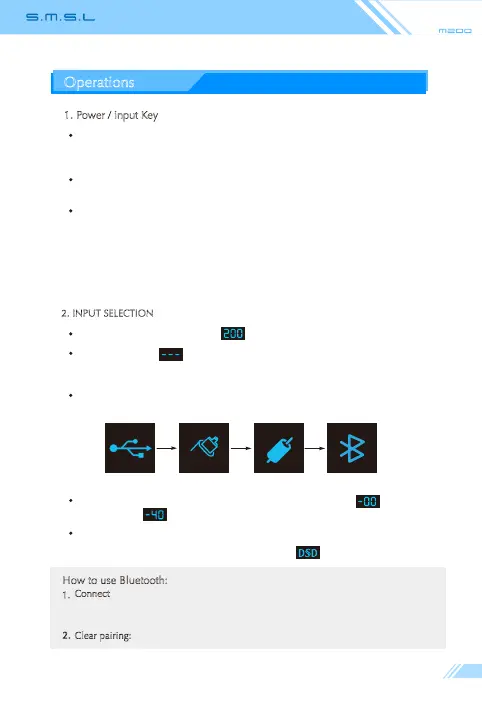
Press "Power / Function", the input mode will be switched between USB, Optical,
coaxial and Bluetooth.
Short press the "Power / Function" key twice (double-click) to enter into the function
menu and select settings. When entering the function menu selection, short press
the button or turn the knob to select the corresponding option.
Note: Use of the double-click function needs to be completed within 1 second.
When switching between different input source, it is necessary to switch
between two seconds before pressing the "Power / Function" button.
2.
INPUT SELECTION
When it is turned on, it will show .
The display shows when there is no input signal or the sampling rate
exceed the range of the unit.
When switching input will be displayed (Press the "Input Select" key on the
remote control or press the "Power Function" key for input selection)
When adjusting the volume, the volume is displayed. The range is
maximum and minimum.
When muted, the current volume flashes.
Note: when playing music is DSD format, it will display .
Operations
USB
CoaxialOptical
Bluetooth
How to use Bluetooth:
Connect: Switch the input to Bluetooth, turn on the Bluetooth function of the phone,
search for "SMSL HDBT", click the pairing connection after searching, when the phone
displays "connected", the connection is successful;
Clear pairing:
Hold the "input selection" key on the remote control.
1.
2.



 To Next Page