58
1
4-11
Operation
5.7 Balancing
Preliminary operations:
– If necessary, perform a compensation run(F 6.1).
– Check the wheel is clamped correctly (F 5.1).
– Select the Type of Vehicle (F 5.5.1).
– Read the rim dimension parameters (F 5.4).
If more than one wheel of the same type needs to be
balanced (the same nominal dimensions) the data need
only be set for the ! rst wheel. The selections stay set
until other new data is set or the machine is switched off.
5.7.1 Measuring imbalance
Having completed the preliminary operations, a
Measuring run can be launched:
— Close
the wheel guard and press START or close
the wheel guard according to which function has
been preselected.
With Code C13 set on “1”;
• Close the wheel guard.
With Code C13 set on “0”;
• Close the wheel guard and press START.
Wheel measuring run PROFILING mode
— Lower the wheel guard from the fully raised position.
Pull the
guard smoothly at medium speed, without
stops or jerking even to the side.
Note:
You must be very careful when lowering the guard,
as the machine simultaneously detects the width of
the rim on the outside of the wheel.
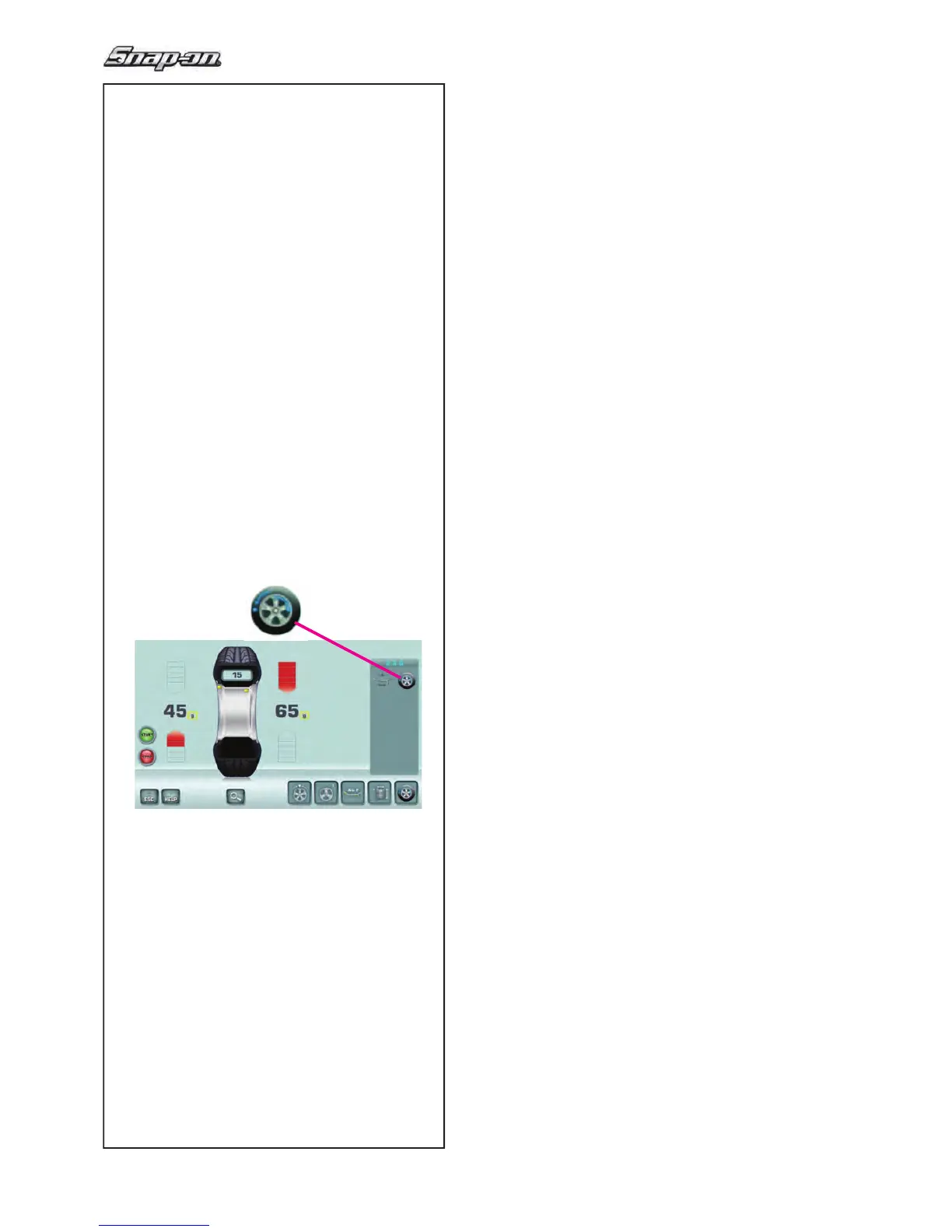
The BALANCING screen appears (Fig. 4-11).
After measurement the balance weights can be ! tted,
or a weight minimisation or optimisation run can be
carried out. The speci! c icon (1,Fig.4-11), indicates
that the machine suggests a weight Optimisation or
Minimisation procedure is carried out
(F 5.10).
After measurement the machine stops automatically
and the wheel is braked.
The
screen shows the unbalance measured for each
correction plane and the direction towards correction.


 To Next Page
 Loading...