78
5-41
5-44
5-43
26
26
26
5-42
Operation
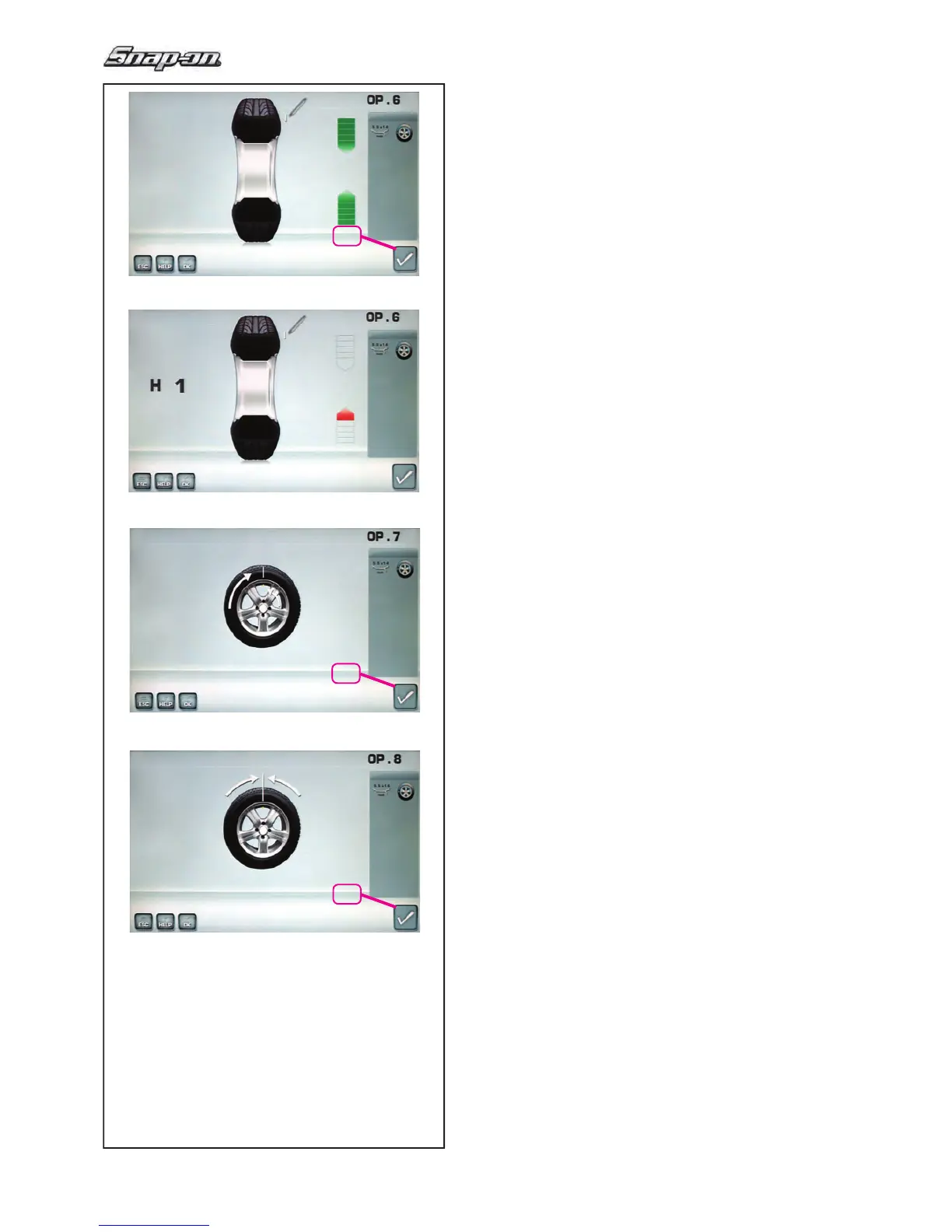
Fig. 5-41 OPTIMISATION “OP
.6”
(second measuring run of tyre/rim assembly)
— Rotate the wheel into marking position following
the arrows.
—
In this position mark the tyre, on the outer side of
the wheel, precisely above the main shaft.
— Con! rm by pressing the key 26.
The OPTIMISATION “OP.7” screen (Fig. 5-43) may
be displayed.
Alternatively, the reading H1 may appear
If H 1 (Fig. 5-42) is read out further optimisation is
not
recommended. In this case the measured data
does not exceed the limit for recommendation of
the optimisation program. However, it is possible to
continue optimisation so as to improve wheel running
conditions even below the limit value (critical vehicle).
To continue optimisation:
— Continue as shown on screen OPTIMISATION
“OP.7” (Fig. 5-43).
To abort optimisation:
— Press the STOP key to return to the balancing
program and balance the wheel according to the
readings
F 5.8.
Fig. 5-43 OPTIMISA
TION “OP.7”
— On the tyre changer, turn the tyre relative to the
rim such until the valve is aligned with the mark
made on the tyre.
— Con! rm by pressing the key 26.
The OPTIMISATION “OP.8” screen (Fig. 5-44) is
displayed.
Fig. 5-44 OPTIMISATION “OP.8”
(3rd measuring run of tyre/rim assembly)
— Clamp the wheel on the balancer.
— Rotate the wheel such that the valve is exactly
perpendicular to and above the main shaft.
—
Enter the valve position by pressing
the
key
26
.


 To Next Page
 Loading...