80
5-45
5-46
5-47
26
5-47a
5-46a
29161
Operation
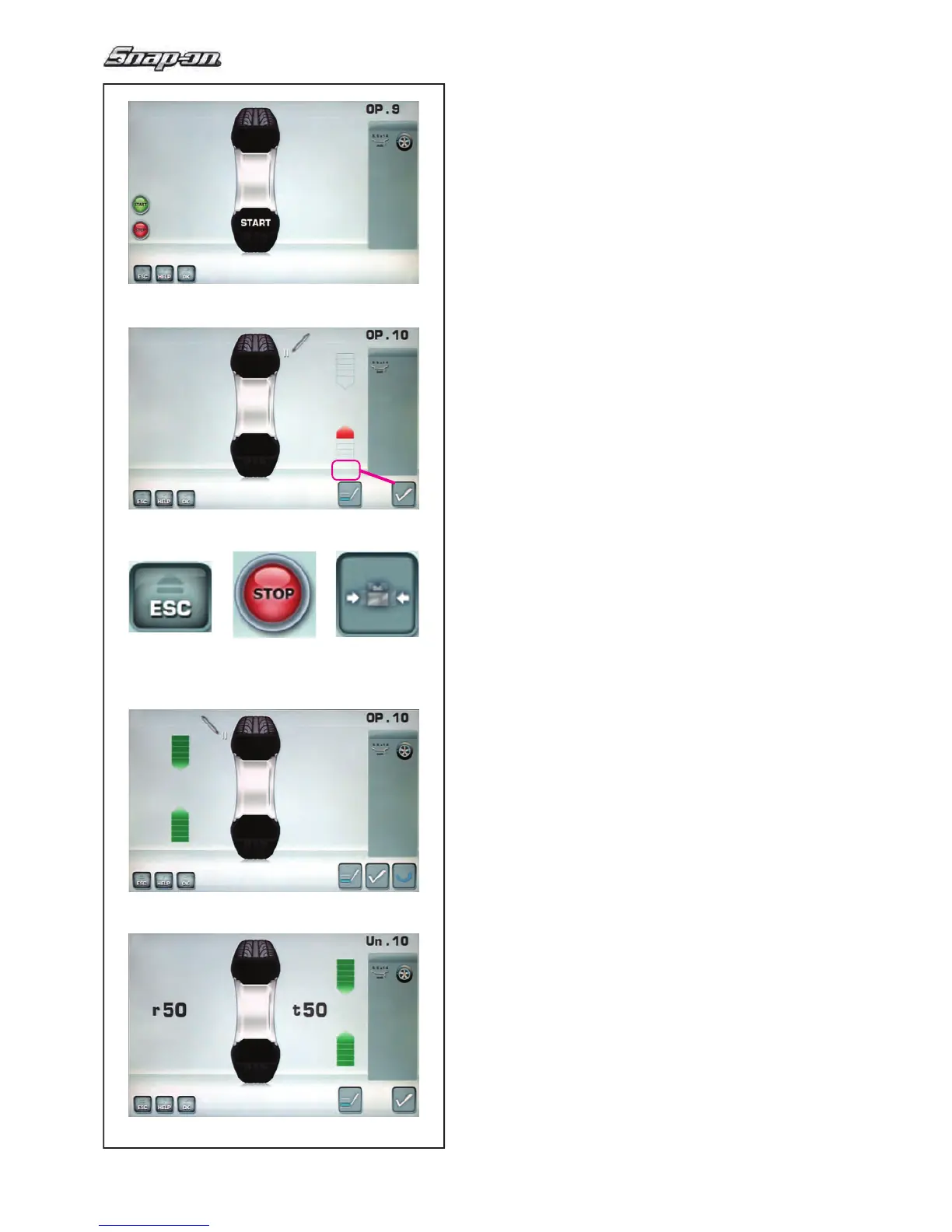
The OPTIMISATION “OP.9” screen (Fig. 5-45) is displayed.
Fig. 5-45 OPTIMISATION “OP.9”
START is signalled on the screen.
— Spinn the wheel.
A measuring run is performed.
The screen OPTIMISATION “OP.10”, outside (Fig.
5-46) or the screen OPTIMISATION “OP.10”, inside
(Fig. 5-47) is displayed.
Reading H 0
Optimum condition has been achieved and cannot be
improved.
— Continue as shown on screen BALANCING
(Fig. 5-51).
Reading H 2
a)
Wheel running conditions cannot be improved.
— P
ress ESC or STOP (1,16, Fig.5-46a) to quit
Optimisation.
b)
However, it is possible to readjust the tyre relative to
the rim to obtain a quite considerable minimisation of
balance weights (i.e. smaller weights) without having
an adverse effect on wheel running conditions.
— Press MINIMISATION (29, Fig.5-46a)
Splitting faults
A
t
this stage of the program the faults index is available
(Fig.5-47a).
— Press XXX.
Two values appears, indicating how the total wheel
unbalance is split as a percentage between the
rim and the tyre;
r = % unbalance attributable to the Rim
t = % unbalance attributable to the Tyre
— Continue as shown on screen OPTIMISATION
“OP.10” (Fig. 5-46b).


 To Next Page