WARNING
DONOTattempt any maintenance,adjustments or service
with engine and blade running. STOPengineand blade.
Disconnectspark plug wire and secure awayfrom spark
plug. Engineand components are HOT.Avoid serious
burns, allow sufficient time for all components to cool.
RearCoverRemovalandInstallation
To Removethe Rear Cover
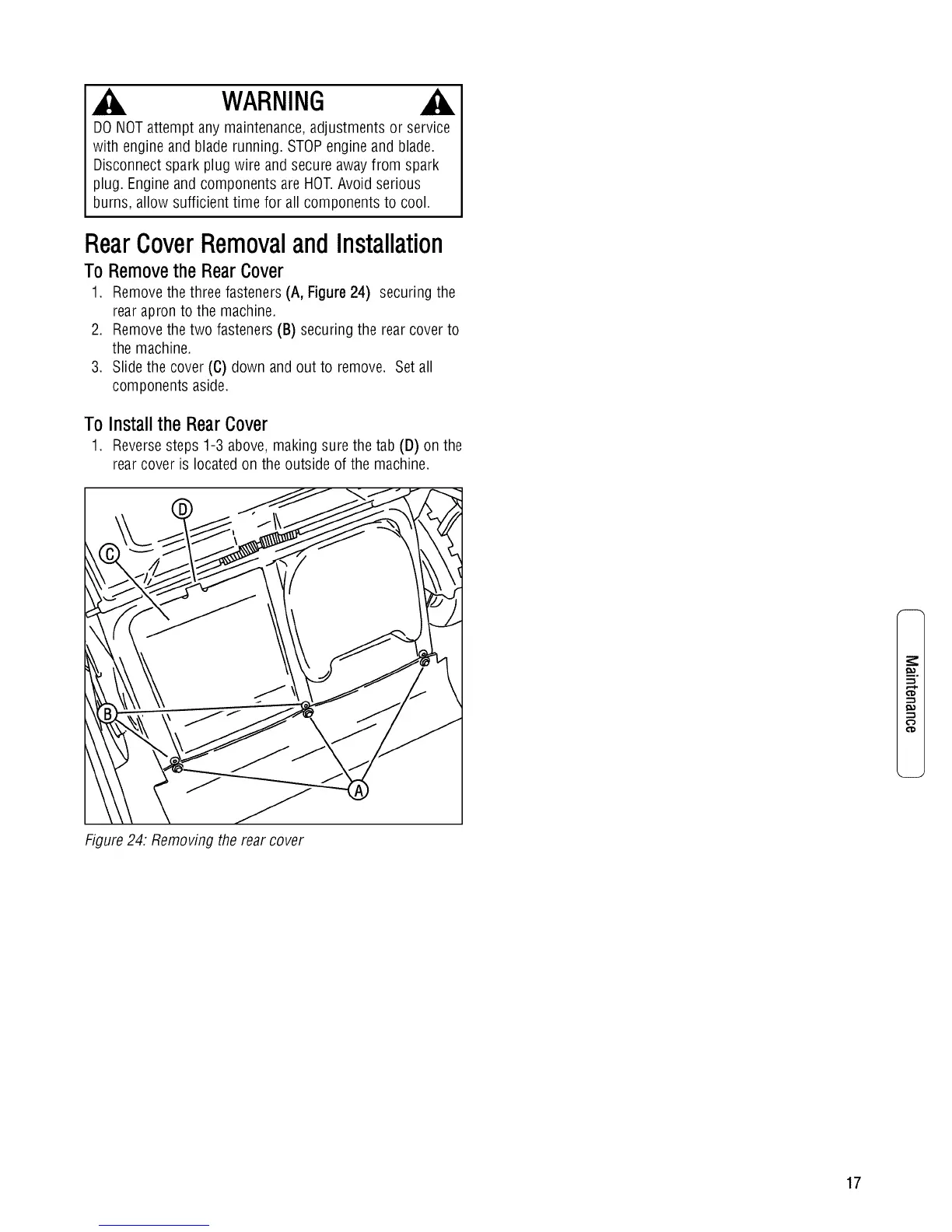
1. Remove the three fasteners (A, Figure 24) securing the
rear apron to the machine.
2. Remove the two fasteners (B) securing the rear cover to
the machine.
3. Slide the cover (C) down and out to remove. Set all
components aside.
To Install the RearCover
1. Reversesteps 1-3 above, making sure the tab (D) on the
rear cover is located on the outside of the machine.
¢"a
Figure24: Removing the rear cover
17





 To Next Page