20
D865 User Manual Getting to Know Your Phone
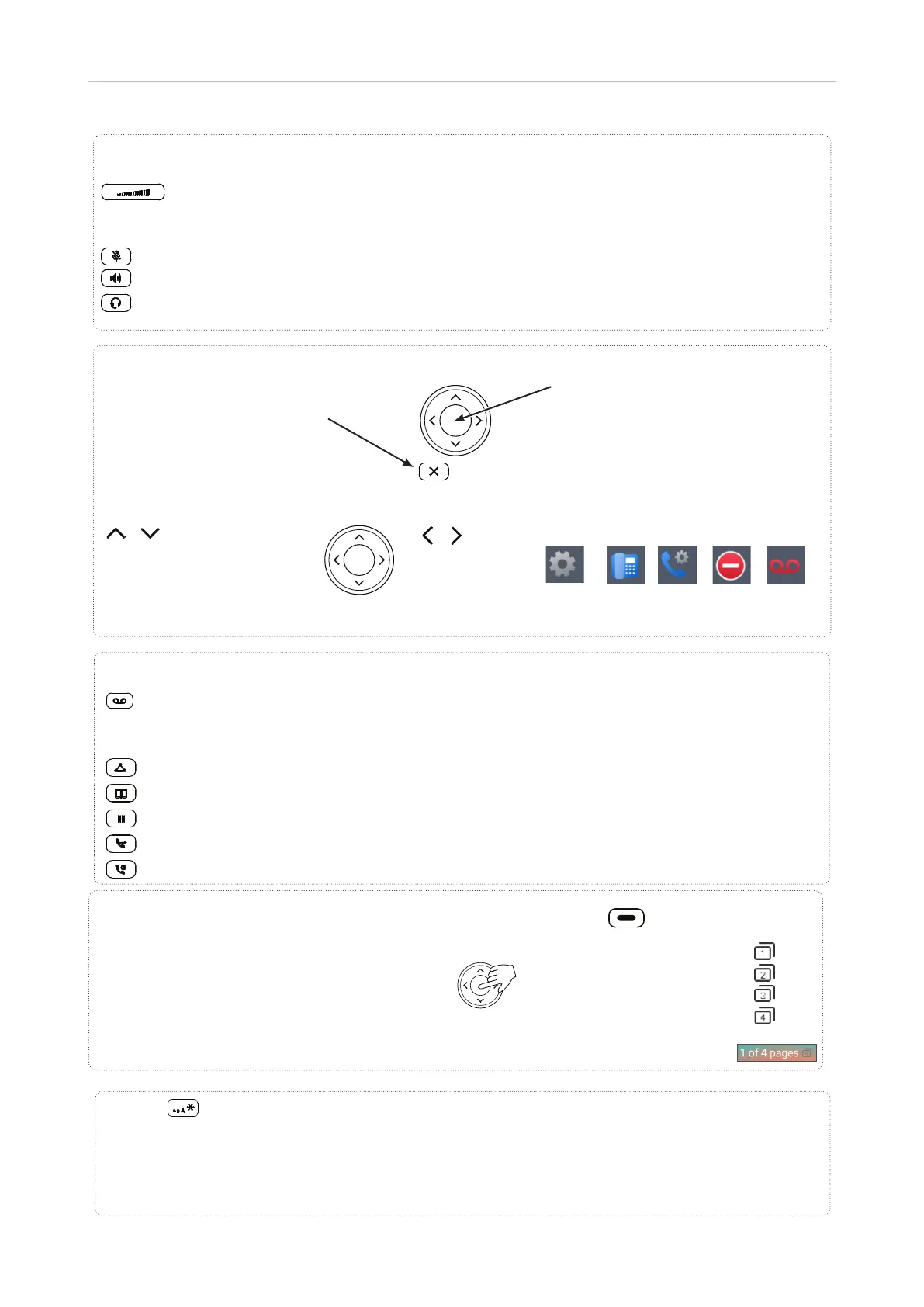
MWI key with LED
◦ LED is lit when message is waiting on mailbox (if mailbox supplied on PBX)
◦ Press key to listen to message(s)
Conference
Directory
Hold
Transfer
Redial
Dedicated, customizable function keys
Adjusting the volume
◦ of the ringer when the phone is idle or ringing
◦ of the handset/casing loudspeaker when in a call
Mute/unmute microphone
Toggling between handsfree and handset mode. Press to dial number and accept calls on speakerphone.
Headset mode on/o
Audio control keys
Star key
• In editing mode:
◦ Press for one second to change input mode (numerals > lower case > upper case)
◦ Press brie y to type *
• On idle screen: Press for 3 seconds to lock/unlock the keypad
Default setting: Line
• Fast-blinking LED: Incoming call. Press blinking key or
to accept
• Steadily lit LED: In call
• Slow-blinking LED: Call on hold
SmartLabel keys P1–P40, freely programmable, self-labeling, with LEDs
Navigation keys
• Con rming, saving actions & input,
and returning to previous screen
• Accepting calls on speakerphone and
in headset mode
• From idle screen: call features
menu
• Canceling actions & input, and
returning to previous screen
• Terminating calls on speakerphone
and in headset & handset modes
P1–P10
P11–P20
P21–P30
P31–P40
Default page keys: P10, P20, P30, P40
/
From idle screen: Select outgoing
identity
In other contexts (settings, lists):
Navigate up/down
/
On idle screen:
Select a favicon
In other contexts:
Navigate/space left
Favicons — shortcuts to menus
Prefer- System Call DND Mailbox
rences features



 To Next Page