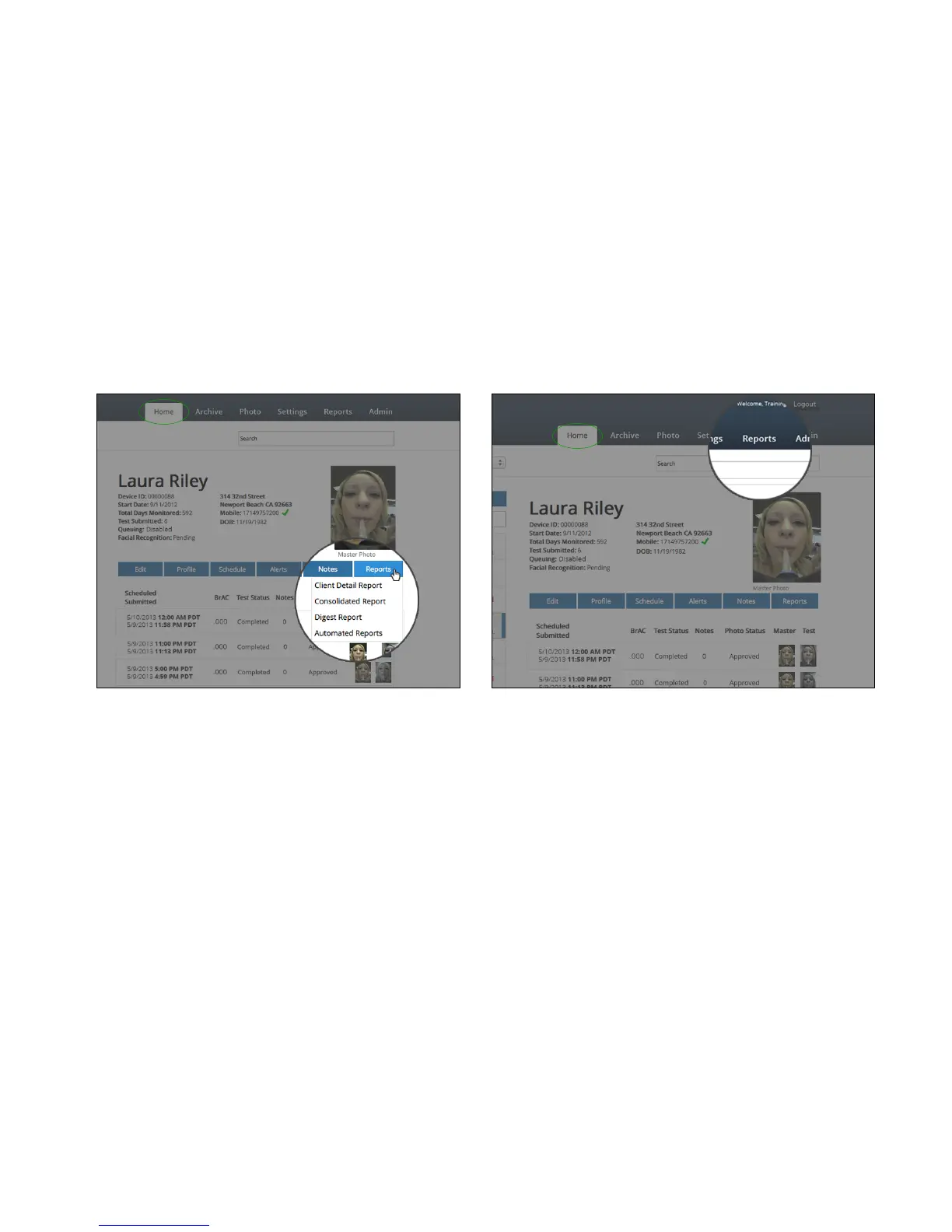
• Selecting a client and choosing Report allows the user to download various reporting options based on a date
range and including or excluding test notes. The Reports can also be accessed from the top toolbar.
• The report types are as follows:
Client Detail Report - shows a test by test list of testing history for one client
Consolidated Report - shows a summary of testing history for one client, including total positive/missed/late, etc.
Digest Report - shows a summary of testing history for multiple clients
Automated Reports - goes to a client’s Alerts page where the User can sign up for a summary report to be regularly
emailed on a daily, weekly, or monthly basis, that can be filtered for All Clients or Non-Compliant Clients only.
><#-7(&;66<?)*&B&M-N6*(9&D"E67&
A62-&F&'-<-$(-,&><#-7(&F&M-N6*(9&
O&


 To Next Page