10
Function (10) Reader ID number:
Each reader has a reader ID number for computer identification and the number should not
be repeated. (pre-setting figure is 001)
Function (11) Password error times:
Alarm will be activated when “N” times of consecutive error password entering occurred.
(pre-setting figure is 003)
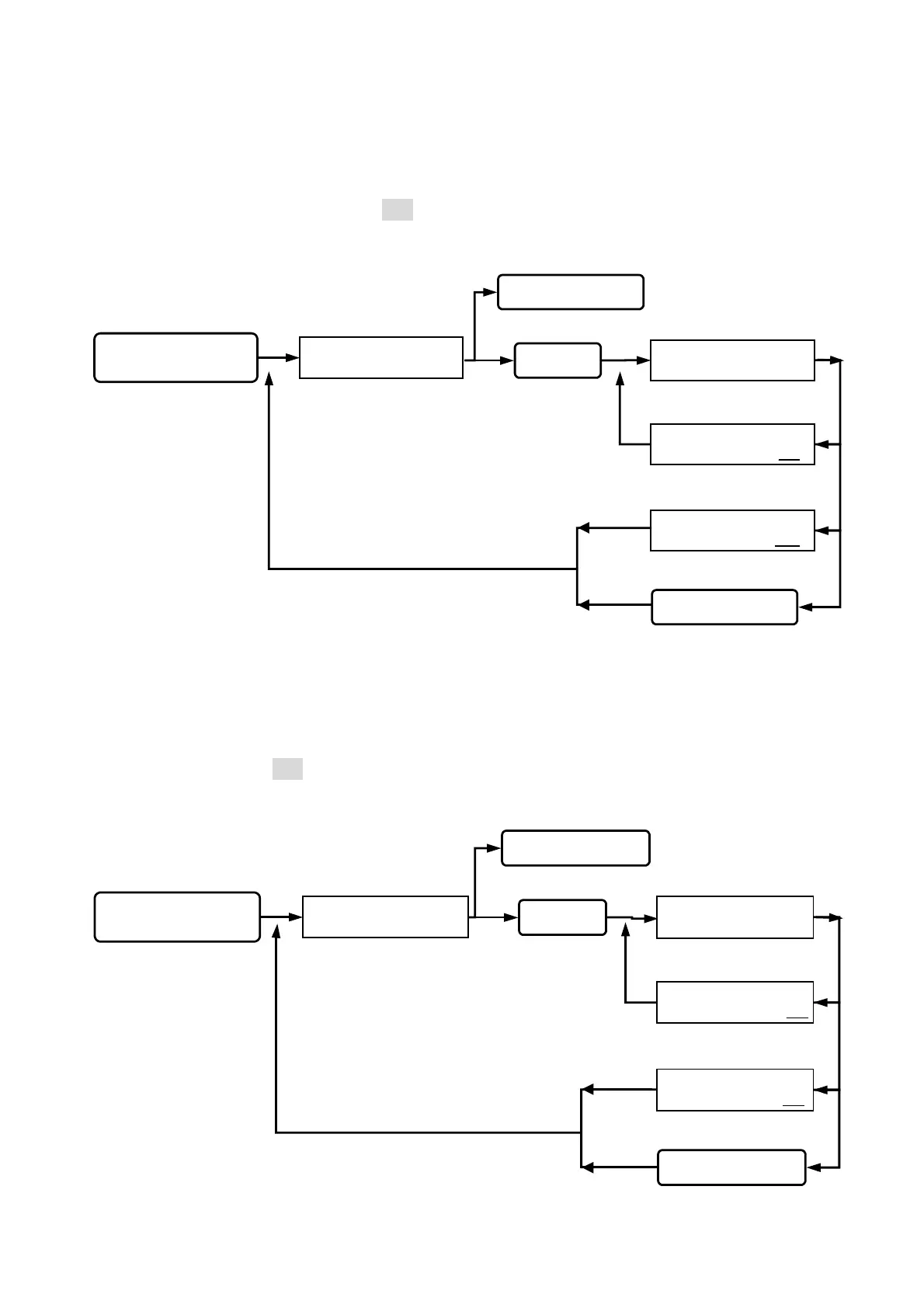
Queuing for reader ID
number input.
READER ID NUMBER
( 1 - 255 ) : 001 256
READER ID NUMBER
( 1 - 255 ) : 001 002
READER ID NUMBER
( 1 - 255 ) : 001 _ _ _
Key in 10
Key in #or *
Key in the #or *
Go into function 10.
Esc system function selection.
SYSTEM FUNCTIONS
SELECTION : _ _
status light on, display
function selection.
Key in
#system password#
Go into system function setup.
Setting successfully,
beep sound occurred.
Wrong input, beep
sound on continuously.
back to system function selection.
Queuing for password
error times input.
ERROR TIMES
( 1 - 255 ) : 003 256
ERROR TIMES
( 1 - 255 ) : 003 002
ERROR TIMES
( 1 - 255 ) : 003 _ _ _
Key in 11
Key in
#
or
*
Key in the
#
or
*
Esc system function selection.
Go into function 11.
Setting successfully,
beep sound occurred.
Wrong input, beep
sound on continuously.
back to system function selection.
SYSTEM FUNCTIONS
SELECTION : _ _
status light on, display
function selection.
Key in
#system password#
Go into system function setup.


 To Next Page
 Loading...