13
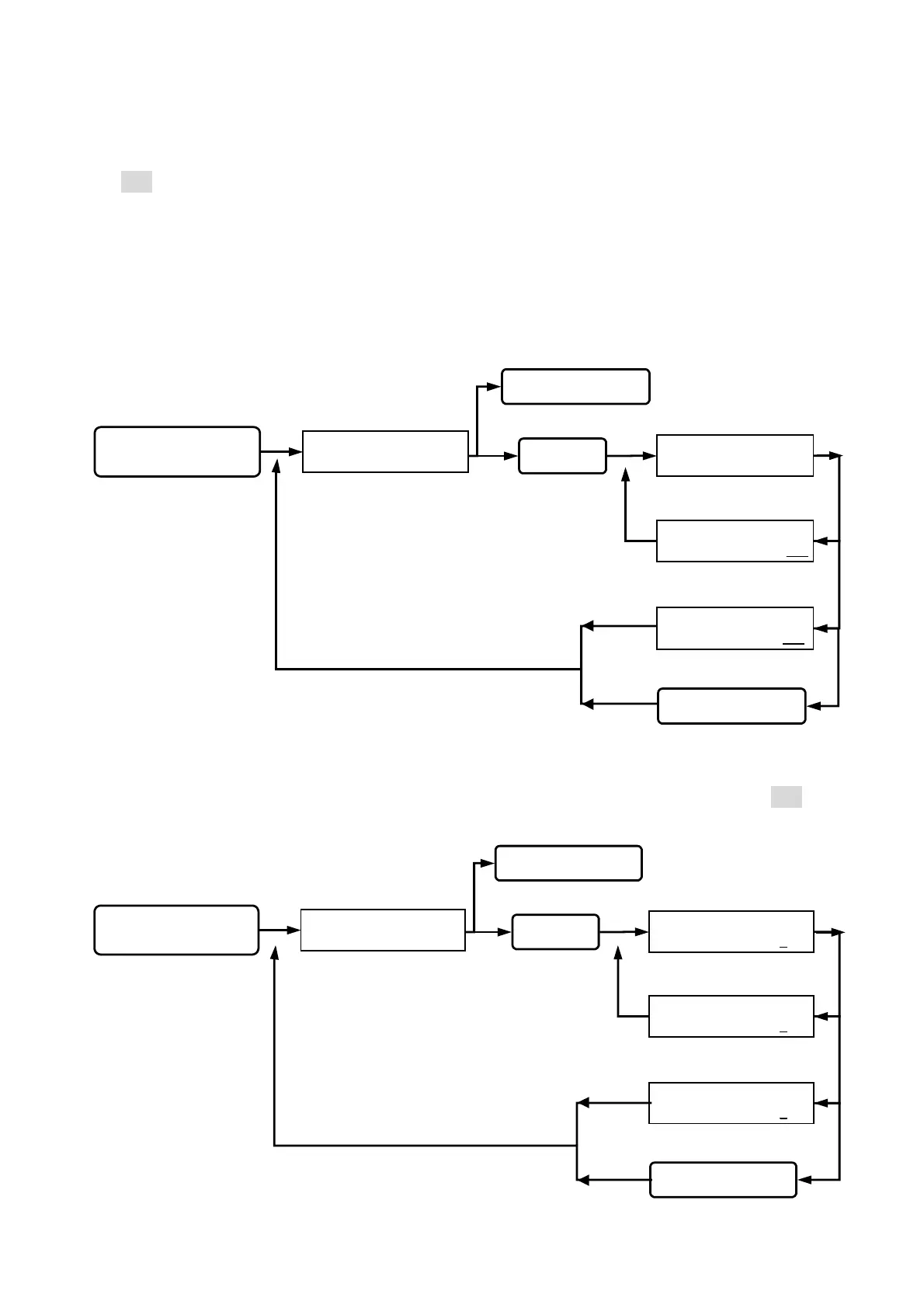
Function (17) Auto Record range:
This is to set under what kind of status to save by stand alone operation. (pre-setting figure
is 003). There are 4 kinds of status to choose:
A. Detect point / output action. (+1) B. Computer special command. (+2)
C. Single reader operation status. (+4) D. User error status. (+8)
Example:
If A and B statuses are chosen, the setting figure for auto record range is 3 (1+2)
If A, B, and D statuses are chosen, the setting figure for auto record range is 11 (1+2+8)
Function (18) Main reader location:
To show the location of the reader: (0) Indoor, (1) outdoor. (pre-setting location is 001)
Queuing for main reader
location input.
READER=>0 / INDOOR
1 /OUTDOOR : 2
READER=>0 / INDOOR
1 /OUTDOOR : 0
READER=>0 / INDOOR
1 /OUTDOOR : 1
Key in 18
Key in #or *
Esc system function selection.
Key in the #or *
Go into function 18.
SYSTEM FUNCTIONS
SELECTION : _ _
status light on, display
function selection.
Key in
#system password#
Go into system function setup.
Setting successfully,
beep sound occurred.
Wrong input, beep
sound on continuously.
back to system function selection.
Queuing for auto
record range input.
AUTO REC RANGE
( 1 - 255 ) : 012 256
AUTO REC RANGE
( 1 - 255 ) : 012 011
AUTO REC RANGE
( 1 - 255 ) : 012 _ _ _
Key in 17
Key in
#
or
*
Esc system function selection.
Key in the
#
or
*
Go into function 17.
Setting successfully,
beep sound occurred.
Wrong input, beep
sound on continuously.
back to system function selection.
SYSTEM FUNCTIONS
SELECTION : _ _
status light on, display
function selection.
Key in
#system password#
Go into system function setup.


 To Next Page
 Loading...